I’m the co-founder of BeSeenByAI, and I get this question on almost every call:
“Why do I need your product if I already have Peec AI / Profound / another prompt tracker?”
My answer is always the same. Keep the tracker. Add us. Here’s exactly why.
What Prompt Tracking Does
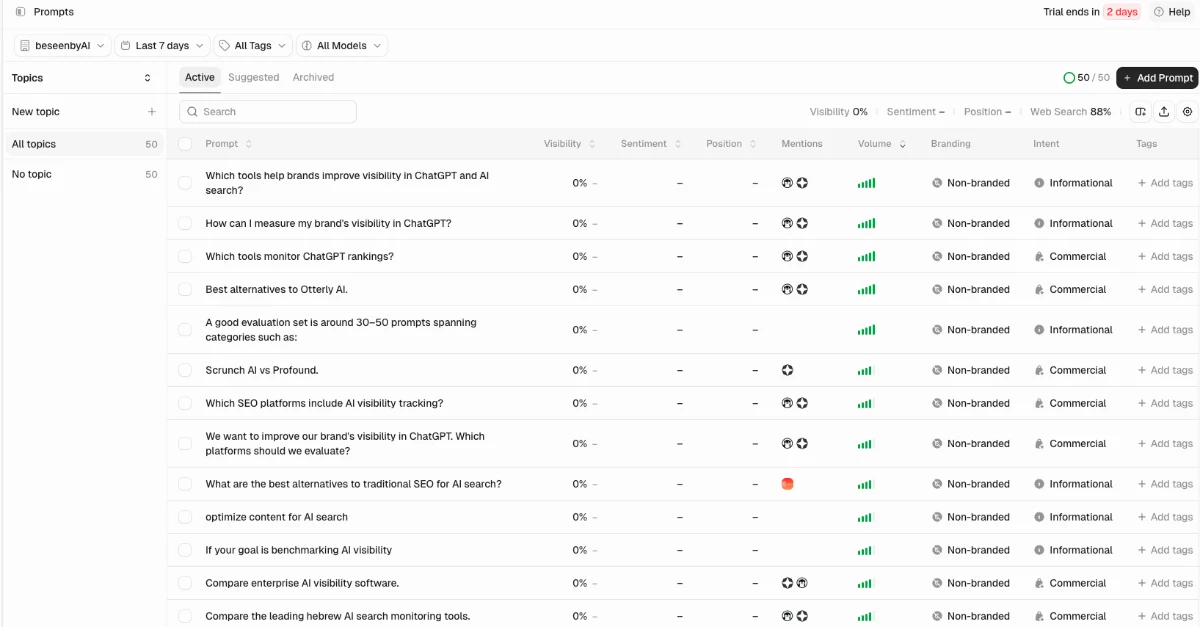 Fifty prompts, one number each. Nothing on this screen tells you which page to open.
You give the tool a list of prompts. It asks ChatGPT, Perplexity, Gemini and the rest, records who got mentioned, and charts it over time. Peec, Profound, Scrunch, Otterly and about forty others all do some version of this.
It’s useful. It measures something real. If you want to know whether you showed up when someone asked for the best CRM for photographers, and who showed up instead of you, there’s no substitute for going and asking.
It’s also not cheap. Companies pay upwards of $24K a year for one of these.
The Debate Happening Right Now
There’s an argument going around about whether the numbers on those dashboards actually mean anything. State of Brand has a good breakdown of it.
 Both sides of the sampling argument are defensible. Neither side answers the question a marketer actually has.
The short version:
In July, Brian Stempeck (CEO of Evertune) posted that Profound has a data problem. For each prompt they track, Profound usually runs it once a day for 30 days. His math says that at that sample size, the error bar on a brand’s visibility score can reach 12 points.
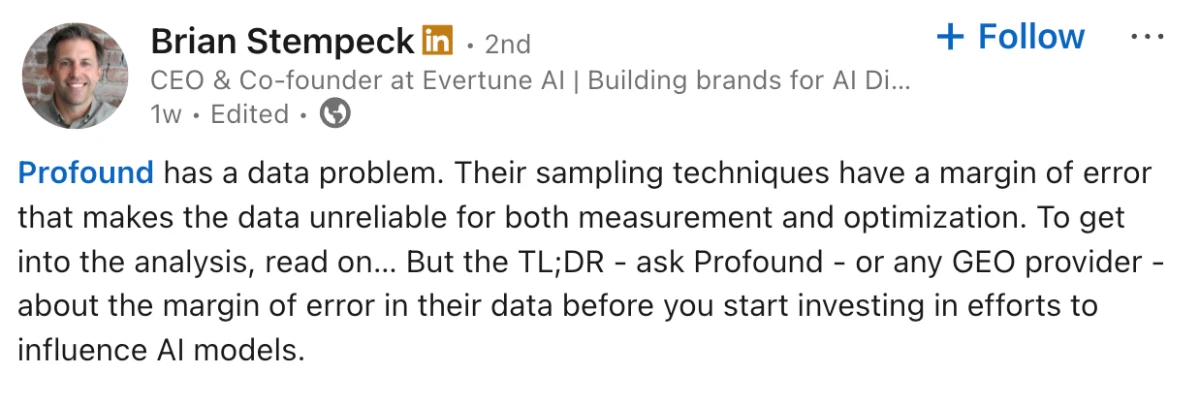 The claim that kicked it off: at one run a day, the error bar can swallow the score.
Here’s what that translates to. Say your dashboard shows you at 10% visibility for a prompt. It got there by asking once a day for a month. With an error bar of around 11 points, the honest reading is that your real number is somewhere between zero and 20%.
That’s not something you can act on.
Profound’s answer was that they don’t run one prompt over and over. They run hundreds of different prompts once each and pool the average, and their own published test found the gap between once a day and ten times a day was a quarter of a percentage point.
Both sides are defensible. The useful comment came from someone taking neither. Daniel Cheung pointed out that inside Profound’s own data, changing which prompts were in the portfolio moved the result more than repetition ever did. The real uncertainty happens because the results you get depend on the initial list of prompts you gave the tool.
Then Cheung asked the question no dashboard answers: when your brand is absent, can the measurement tell you why?
I think that’s the whole thing.
Why the Model Skipped You
There are a lot of reasons a model doesn’t mention you.
You may have nothing published on the question. You may have published something, but written so the answer can’t be lifted out of it. Your competitor may own the third-party source the model actually trusts. Or your page renders client-side and the crawler never saw a word of it.
Every one of those shows up on your dashboard the same way. A low number.
Same symptom, completely different work. And you’re staring at a chart that can’t tell them apart, so you don’t know which page to open, what to change on it, or whether the problem is even in your content.
What We Do Differently
Two things, and they stack.
The technical checks go deeper, and they’re checked rather than inferred.
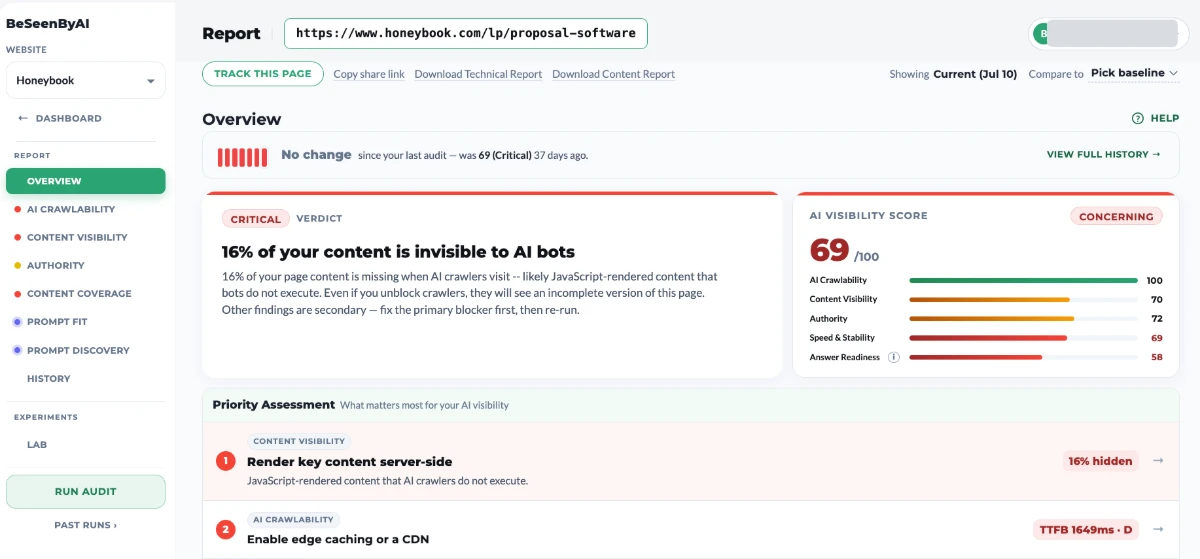 A named cause on a named page, with the first thing to fix at the top.
Some prompt trackers have a technical audit, but much more superficial. Peec shipped Crawl Insights and a robots.txt checker this year, and Profound has been reading server logs for a while. Both are real features and I’d rather say that than pretend otherwise.
These tools usually work from the outside in. Log analysis needs your CDN wired up (Cloudflare, Vercel, CloudFront, Fastly, WordPress) and it can only report what already happened. A robots.txt checker reads one file.
We request every URL as each AI bot and record what comes back, so the answer is a status code on a specific page rather than an inference from a config file. Then we render the page the way a crawler does and diff it against what a browser shows you.
We ran this across 706 domains and 1,500+ audits between March and June and published the results as the State of AI Visibility 2026 report. Two numbers from it are the reason this check exists.
11.6% of those sites block at least one AI crawler. Almost none of them meant to. Somebody turned on a bot rule or a security setting, and a crawler has been getting turned away ever since. Over 96% of those blocks don’t show up in robots.txt, so the owner has no way of finding out unless something makes the request and reads what comes back.
About 70% lose content to rendering. The text is right there when you look at the page, and some part of it isn’t in the HTML the bot receives.
You can’t get to either number by reading robots.txt, and you can’t get to them from logs unless a bot already tried and failed on the exact page you care about.
Crawlability issues are just one aspect of BeSeenByAI’s technical checks. The tool also audits performance, content visibility, agentic browsing, and authority.
Then we do the optimization, which nobody else does at all.
This is the bigger gap. Every tool in the category will tell you that you’re not cited. None of them will sit with a page and tell you what’s wrong with the writing on it.
Content Coverage shows you what a topic actually requires and what your page covers. Prompt Fit checks whether an answer can be lifted out of a page. Prompt Discovery works backwards from the page to the prompts it could realistically win.
Eight Places This Actually Gets Used
1. Find the blocks that robots.txt won’t show you.
Your robots.txt says GPTBot is allowed. Your WAF disagrees. A bot rule at the CDN, a rate limit, a geo restriction, a bot-fight setting somebody turned on eight months ago and forgot. The file says one thing and the server does another, and the only way to know is to make the request and read the response. That’s where the 96% comes from. Those sites all have clean robots.txt files.
2. See what the bot got, not what the browser shows.
You open the page and the content is there. The crawler opens the page and gets an empty container, because the text arrives after JavaScript runs and not every bot runs it. Nothing about this is visible to you, which is why it goes unfixed for years. We fetch the raw HTML and diff it against the rendered page, so you get the actual delta per URL instead of a guess about your stack.
3. Check that the page actually answers the prompt.
You’ve got a prompt from your tracker that you keep losing, and a page you’re sure is about that prompt. Prompt Fit tells you whether the answer can be lifted out of it, or whether it’s implied by an example, spread across four paragraphs, or only makes sense to somebody who read the section above it. It also makes sure the length of the answer fits the AI bots’ token limits.
4. Find what the topic requires that your page doesn’t have.
A model doesn’t take one question and go find one answer. It breaks the question into a spread of smaller ones and assembles a response out of whatever covers them. Content Coverage shows you that spread for the topic your page is about, and which parts of it your page actually answers. Usually the gap isn’t a missing page. It’s four sentences you never wrote because they seemed obvious.
5. Confirm a fix landed the same day.
You restructured 12 pages. Re-run the scan the same day instead of waiting. Either the answer is extractable now or it isn’t. You get your confirmation on the day you did the work, and the tracker goes back to being slow confirmation rather than your only feedback.
6. QA after a migration or a redesign.
New templates hide pages from AI that were working fine. Content moves into a component that renders late, an answer gets split across an accordion, a heading structure gets flattened. Nobody re-checks, because the pages look right. The score drop shows up two months later and by then nobody connects it to the redesign.
7. Figure out what to fix first.
Not everything on the report matters equally, and we say which. Site level, so you know which pages are most critical to fix or improve. Page level, so you’re not perfecting page 400 while the pricing page has no extractable answer on it.
8. Get the fix, not the finding.
Every issue we report comes with the change attached, and on the content side that means we write it. Content Coverage is where this matters most. Optimizations hands you a document with the actual content to add or adjust, in place, mapped to the sections it belongs in. You review it, you edit it, you publish it.
When the Tracker Is Enough on Its Own
If you’re already cited across your category and you just need to watch for competitors moving on you, monitoring is the whole job. Buy the tracker, skip us.
We’re good when you want to know what the problem is and then go fix it. We tell you what’s wrong, and we give you the fix.
What I Won’t Promise
GEO results are hard to measure. I’m not going to promise our fixes produce a clean line on your chart, because the chart drifts, personalizes, and carries an error bar nobody in this category has fully characterized yet.
What I’ll promise is that the findings are checkable. If your pricing page has no extractable answer on it, you can read the page and see that. If your product pages return a 403 to ClaudeBot, you can verify it yourself in a minute. Those aren’t scores, they’re facts about your site, and you can go look.
The measurement will get better eventually. Enough money is going into this category that somebody will sort out the statistics. Until then I’d rather hand you something you can fix than a decimal point that doesn’t know who’s asking.
“When I run both platforms on the same page, we do much better than relying on the prompt tracker's recommendations alone.”
— Pasha Kagan, Independent SEO & GEO Consultant
You can run a free audit on your domain right now, no setup.