A page can pass every technical check and still lose. The bots can reach it, the content is in the HTML, the structured data is clean, and it still doesn’t get cited, because when an AI system reads it looking for an answer, the answer isn’t really there.
That’s the gap Content Coverage was built for. The rest of an audit asks “can AI systems read this page?” Content Coverage asks the next question: “once they can read it, is there enough here to use?”
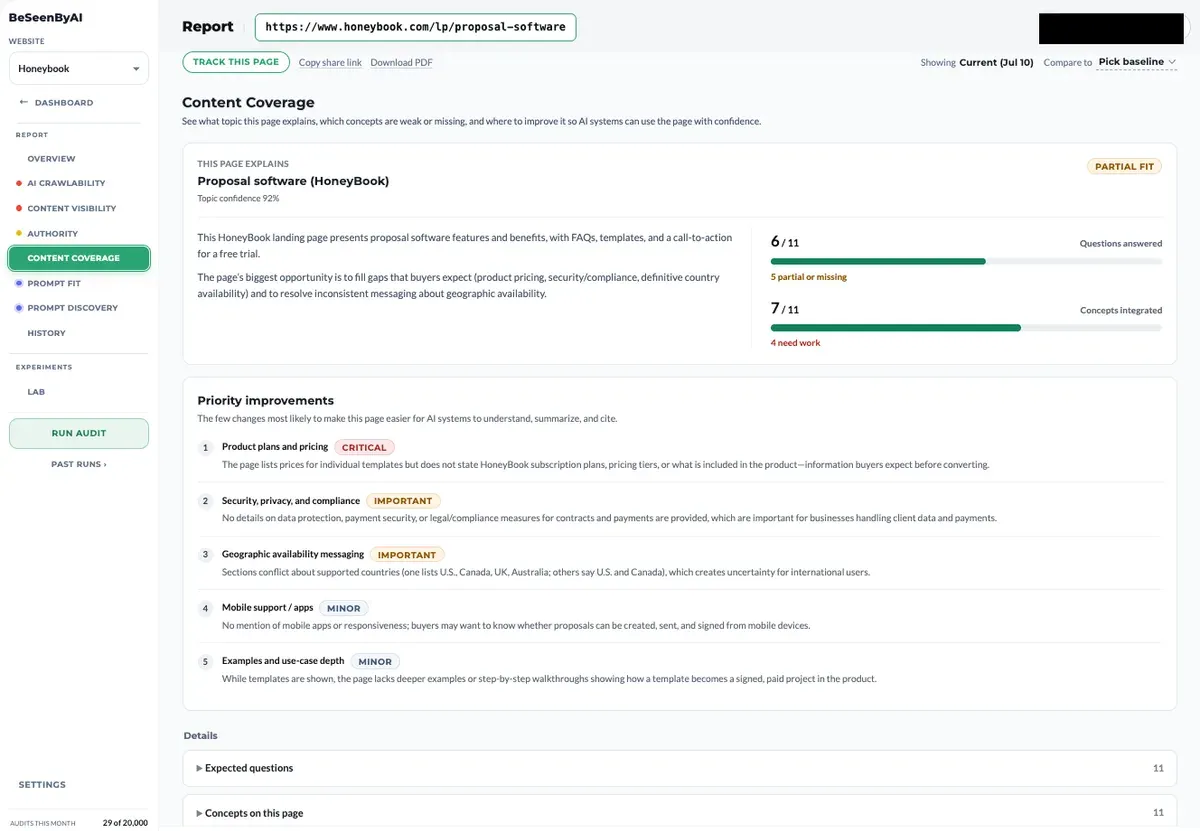
From “Can They Read You?” to “Can They Use You?”
A page can render perfectly and still be a weak source. It touches the topic but skips the questions readers actually ask. It mentions concepts without explaining them. It repeats generic copy where a specific answer should be. An AI system reading a page like that can’t build a confident answer from it, so it cites someone else.
This is a different problem from the technical ones, and it needs a different kind of check. Traditional content tools ask whether the writing is good: readability, tone, keyword density. That’s useful for human readers and mostly irrelevant to whether an AI system can use the page as a source.
Content Coverage starts somewhere else. It asks what topic the page is explaining, which questions a page on that topic should answer, and how many of them it actually answers. Completeness first, quality second.
What a Content Coverage Result Tells You
Every run returns four things, each grounded in the actual page content. The gaps it looks for are common: across our own audits, 37.9% of pages are too promotional to cite as a source, and 9.3% make claims with no evidence behind them. See the full findings.
Detected topic and confidence. The tool states what topic the page is explaining and how confident it is in that read. If confidence is low, that’s a finding in itself: the page isn’t clearly about one thing, and AI systems will struggle to classify it.
Questions answered. It builds the list of questions a page on this topic is expected to answer, then checks the page against each one. You get a count of how many are answered, partial, or missing.
Concepts integrated. The core concepts a complete page on this topic should cover, and how many the page actually integrates. Concepts marked as needing work are gaps an AI system will notice when it evaluates the page as a source.
Priority improvements. A short, ranked list of the changes most likely to make the page easier for AI systems to understand, summarise, and cite. Each item is marked Critical, Important, or Minor and explains what’s missing and why it matters.
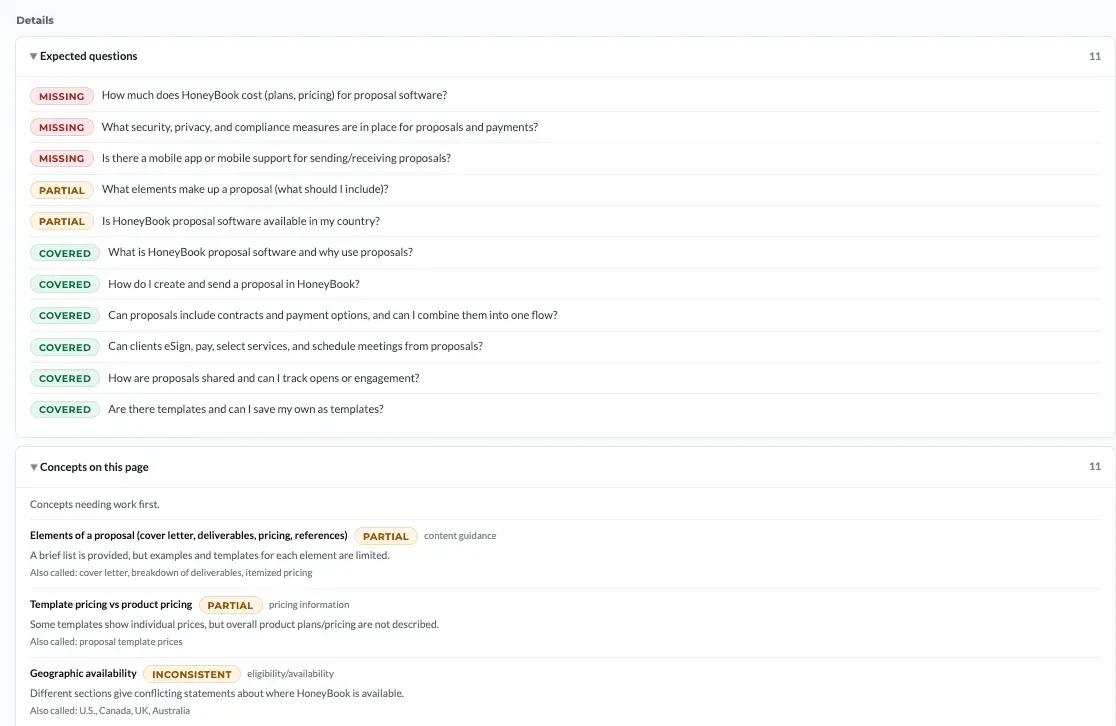
None of these show up in a technical scan, because the page renders fine. The problem is that an AI system reading the page can’t find complete answers to the questions it expects the page to cover.
How Content Coverage Works
Behind the four results is a five-step process, run the way an AI system evaluating the page as a source would run it.
First it detects the topic, returning it with a confidence score so you know whether the page reads as clearly about one thing. Then it builds the expected question set for that topic: the questions AI systems get asked and go looking for sources on. It checks the page against each question, marking it answered, partial, or missing, and rolls those into the questions-answered count. It maps the concepts a page on this topic should integrate and checks which the page covers. Finally it ranks the gaps into a prioritised list, each item marked Important or Minor by how much it’s likely to move the page.
Because the ranking is grounded in the actual page, the fixes are concrete rather than general advice. A content person can execute each one.
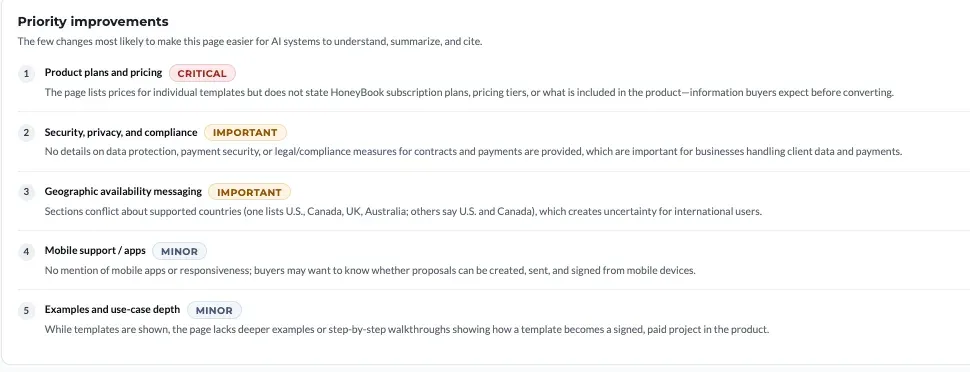
Where Content Coverage Sits in the Loop
Content Coverage runs after the technical scan and before the prompt work.
Scan first. If the technical scan isn’t clean, fix that first. A complete page that AI can’t reach is still invisible.
Content Coverage second. Once the page is reachable and readable, Content Coverage tells you whether it explains its topic completely. Fix the Important items, re-run, and move on when the questions-answered and concepts-integrated counts improve. You don’t have to write those fixes from scratch. Optimizations drafts each one from the content already on your page, flagging any fact the page didn’t supply so you confirm it rather than invent it.
Then Prompt Fit and Prompt Discovery. With coverage solid, Prompt Fit tests the page against a specific target prompt, and Prompt Discovery shows you the full range of prompts the page is now positioned to answer.
You don’t need a perfect coverage score. You need the page to explain its topic completely enough that an AI system can summarise and cite it with confidence.
Running a Coverage Optimization, Step by Step
Reading the result takes a minute. Turning it into a published page takes a pass through the findings, a generated draft, and one round of confirmation. Here’s the whole run.
1. Read the overview.
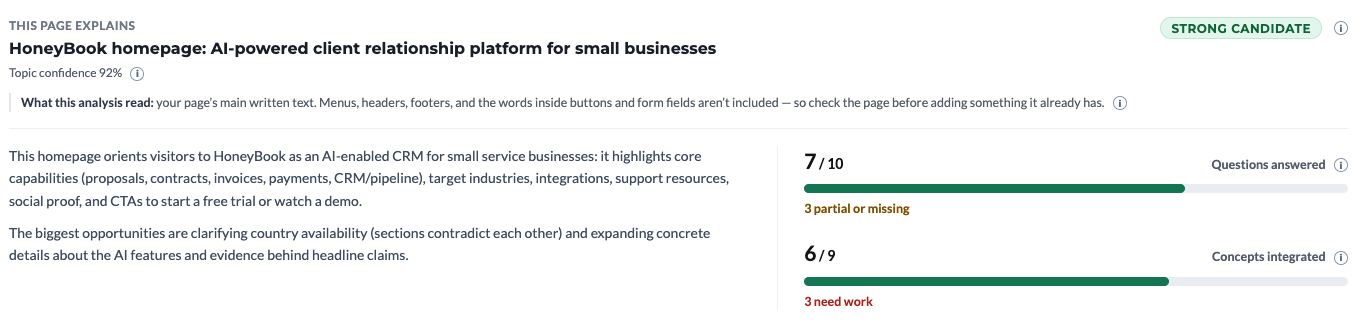
Before you open a single finding, read the summary at the top. It names the topic the tool decided your page explains, scores its confidence in that read, tells you which part of the page it analysed, describes what the page currently covers, calls out the biggest opportunities it found, and gives you the two headline counts for questions answered and concepts integrated.
Four things to take from it.
The detected topic is the premise for everything underneath. Every question and concept in the findings comes from that topic, so if it doesn’t match what the page is for, the findings are measuring you against the wrong set. Fix the page’s focus before you work the list.
Confidence tells you whether the page reads as being about one thing. A high score means the tool got a clear read. A low one means the page is spread across several topics, and AI systems evaluating it as a source will have the same trouble.
2. Go through the missing questions.
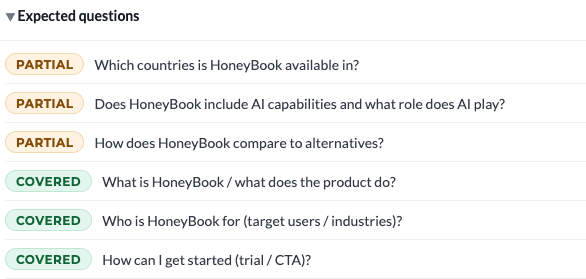
Start with the ones marked missing rather than partial. Those are the questions an AI system expects a page on this topic to answer and can’t find any answer to. Read each one and decide whether your page should be the one answering it. Some won’t belong, and skipping a question on purpose is fine as long as it’s a decision rather than an oversight.
3. Go through the missing concepts.
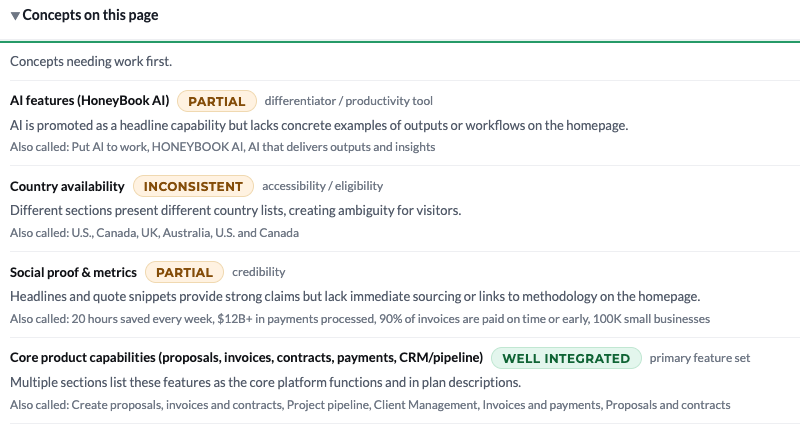
Same pass, different unit. Concepts marked as needing work are the ideas your page names without explaining, or leaves out completely. A page can answer most of the expected questions and still read as thin here, because it never defines the things the answers rest on.
4. Go through the questions to answer.

These are the questions worth answering explicitly, under their own heading, instead of burying the answer inside a paragraph. Check each against what you already say. If the page answers the question but doesn’t look like it does, that’s exactly the case an FAQ entry fixes.
5. Go through the content to add or clarify.
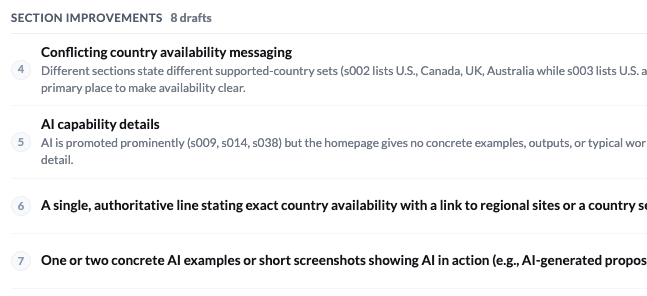
Changes to sections that already exist: the paragraph that describes a feature without saying what it does, the comparison that lists options without stating the difference. These are usually faster to apply than the additions, because you’re editing rather than writing.
6. Read “Also flagged.”
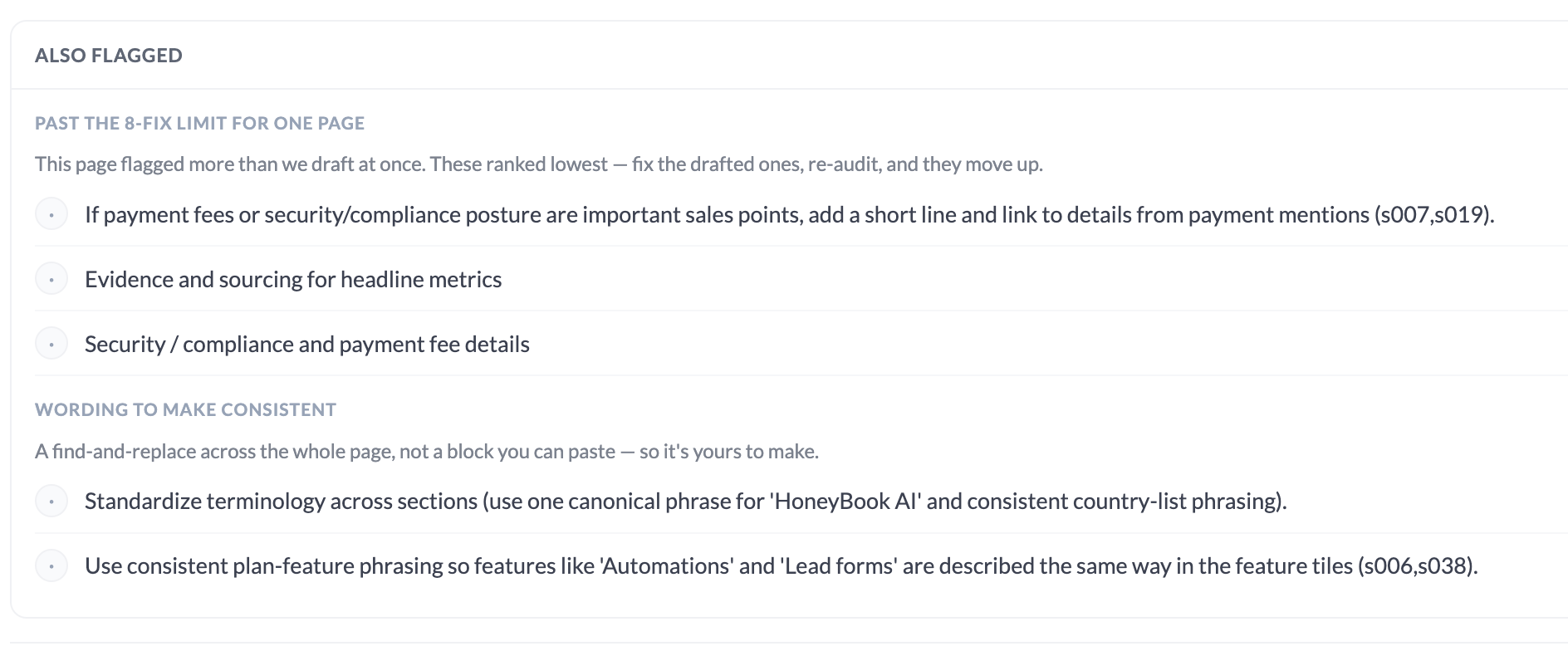
The smaller items that didn’t make the ranked list. Nothing here will move the score much on its own, but they’re cheap, and if you’re already in the document you may as well take the ones that fit.
7. Click Generate Fixes.
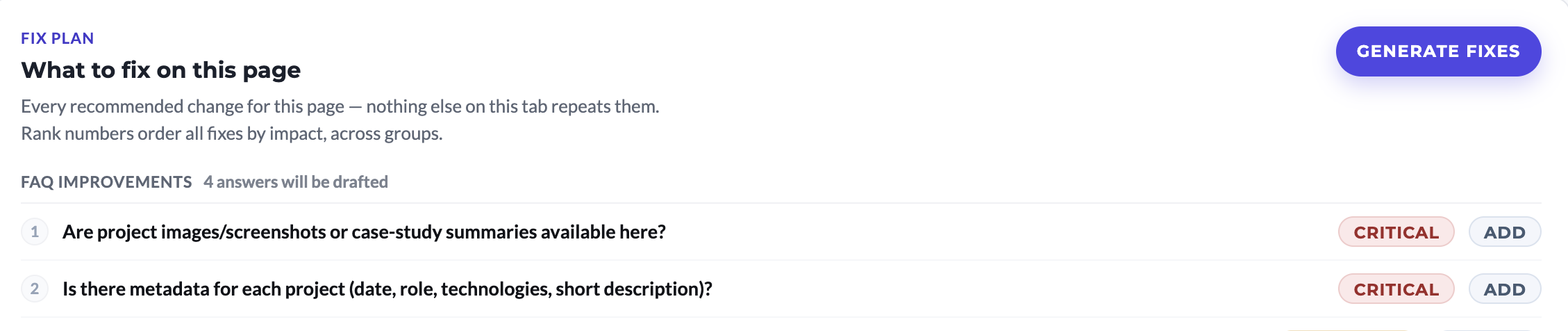
Optimizations drafts each item using the content already on your page. Anything it can’t source from the page gets marked rather than invented, which is what step 10 is for.
8. Open Full set → Content Report.
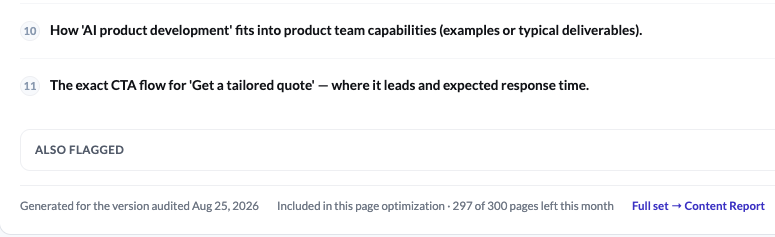
This is every generated fix in one document, in order, instead of one card at a time. It’s the version you can actually work from.
9. Copy it into Google Docs.
You want somewhere to edit the fixes before they go near the live page, and a record of what you changed and when. Anywhere you can comment and track edits works. Docs is just the common choice.
10. Resolve every item marked [CONFIRM].
![A BeSeenByAI drafted fix with several [CONFIRM] placeholders marking facts the page didn’t supply, such as engagement models and billing terms](/blog/media/what-is-content-coverage/what-is-content-coverage-12.png)
Where a fix needs a fact the page didn’t supply (a number, a date, a product name, a limit), the draft marks it [CONFIRM] instead of guessing. Replace each one with the real value, or cut the sentence that needed it. A [CONFIRM] that reaches the live page is a fabricated fact with a label on it.
11. Apply the fixes.
Hand the finished report to Claude and have it produce the updated page content, or work through the list yourself. Either way the report is the brief, and every item names what’s missing and where it goes.
12. Click Check for updated coverage.
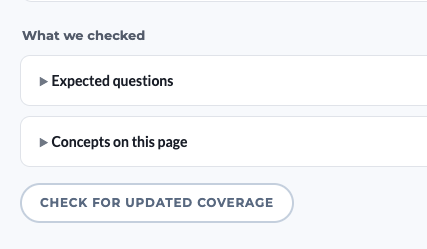
Once the changes are live, this rescans the page and returns fresh questions-answered and concepts-integrated counts. If the counts barely moved, the fixes probably landed as mentions rather than answers: go back to the missing questions and check that each one now has a complete answer on the page, not a sentence that gestures at one.
Who Content Coverage Is For
If you write content, it shows you the questions and concepts a page skipped before you wonder why the citations aren’t coming. If you’re an SEO moving into GEO, it’s the AI-side equivalent of the completeness check you already run for search. If you manage product pages, it surfaces the buyer questions those pages describe features around but never actually answer. And for agencies, the ranked priority-improvements list is a ready-made content brief. Each item names what’s missing, why it matters, and whether it’s Important or Minor.
What It Doesn’t Do
The analysis reflects only the rendered page content at audit time. If the page changes, re-run it. Complete coverage improves the odds of citation, but it doesn’t guarantee it: authority, recency, and competing sources all play a role. And it evaluates a single page against its topic as a whole, so it works best on content-rich pages: product pages, guides, comparison pages, resource hubs, articles. Thin pages, login flows, and navigation-heavy pages produce weak results, because there isn’t enough content to evaluate.
Run it on the pages that are supposed to be answering something. That’s where the difference between “AI can read this” and “AI can use this” actually gets decided.
See it used on a real site in our case study: how an independent SEO & GEO consultant closed a content gap with Content Coverage and grew AI citations 4x.