For years the question about AI and your website has been “can they read it?” Crawlers fetch the page, chatbots summarise it, and if the words are there, you have a chance at being cited. A new wave of AI browsers changes the question. They don’t only read the web. They operate it, clicking buttons and filling in forms on a person’s behalf. ChatGPT Operator, Claude computer use, Perplexity Comet, and Edge’s Copilot Mode all work this way.
That shift creates a gap no technical scan catches. A page can render perfectly, read perfectly, and still be unusable by an agent. The button that submits the form has no accessible name, a cookie wall sits in the way, a bot challenge stops it at the door. To a person the page looks fine. To an agent it’s a dead end, and that’s traffic and conversions you lose without ever seeing it.
Agentic Browsing is the check built for that gap. It asks the next question after “can AI read this page?”: “can an AI agent actually use it?”
From “Can They Read You?” to “Can They Use You?”
AI crawlers fetch your page and read it. AI chatbots summarise it and decide whether to cite it. Both are about reading. A growing class of AI browsers goes one step further: they drive a real browser and operate the page to finish a task someone asked for: book the demo, start the trial, add to the cart.
Reading and operating are different problems, and a page can pass one while failing the other. Content Visibility already tells you whether the words render for a bot at all. Agentic Browsing tells you whether the controls on the page can be worked once they’re visible. A form can be perfectly readable and still be impossible to submit if its fields carry no labels an agent can target.
This is why agent-readiness doesn’t show up in an ordinary audit. The page renders, so the technical checks pass. The gap is in whether the page can be operated, and that’s exactly what this check inspects.
What an Agentic Browsing Result Tells You
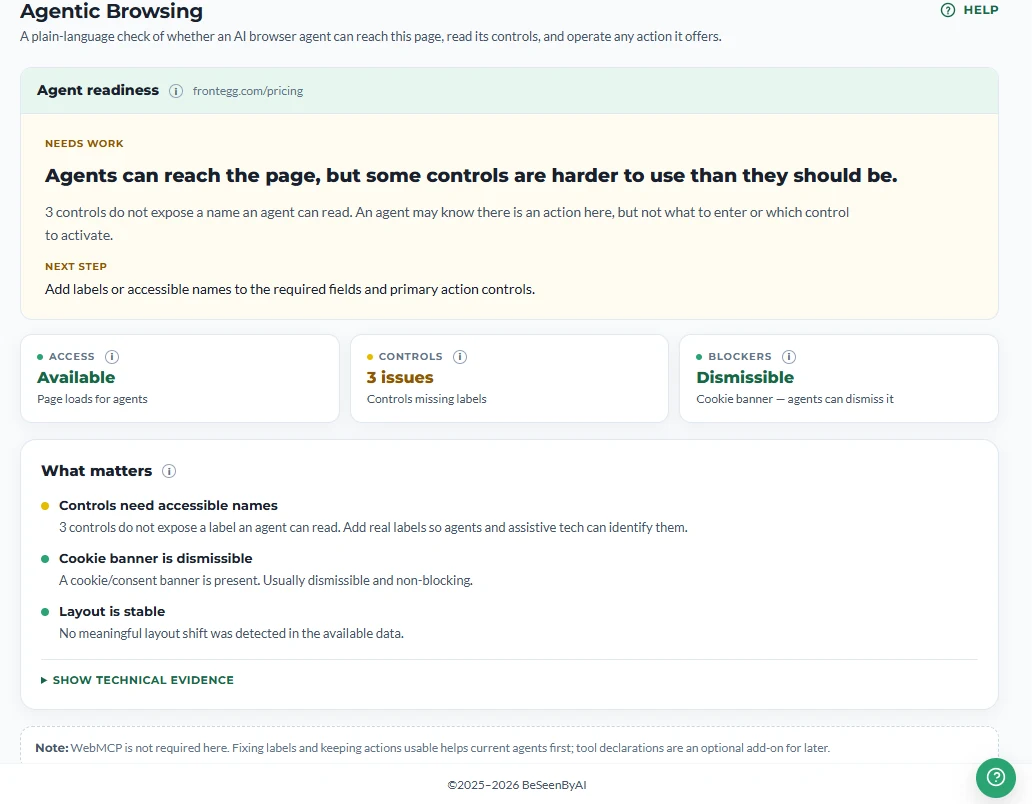
Every result answers four plain questions about the page, each grounded in the rendered page an agent actually sees.
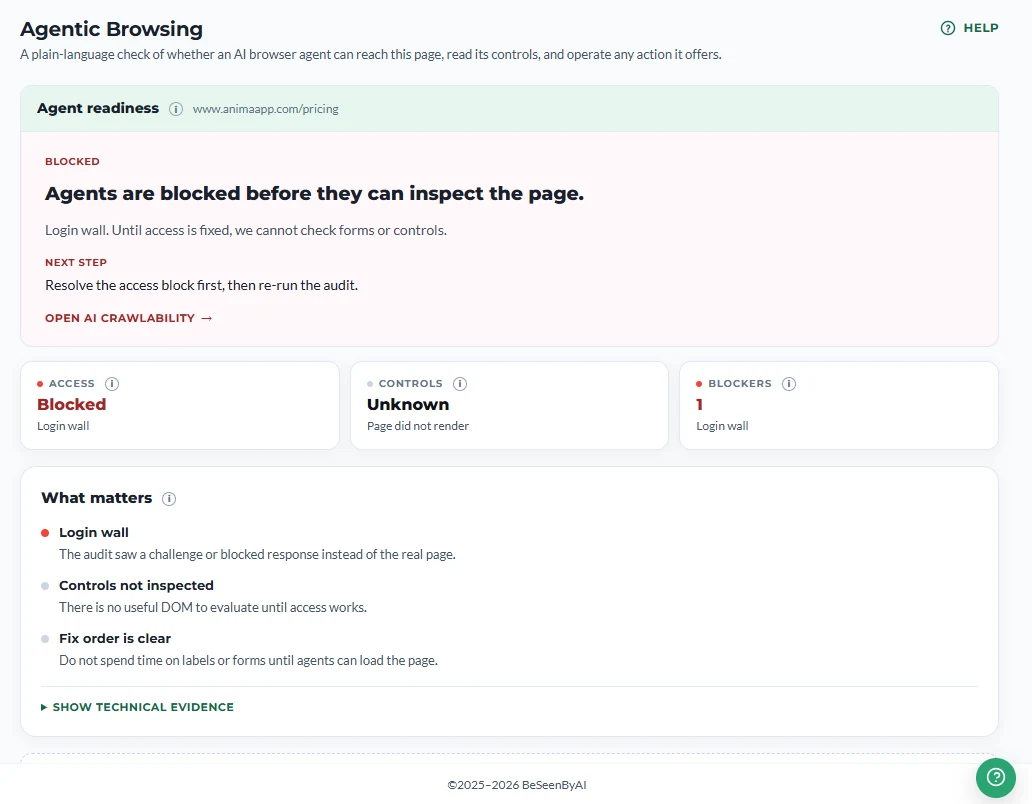
Can the agent get in? Whether an agent can reach the page at all, or whether a login wall, a bot challenge (reCAPTCHA, hCaptcha, Turnstile), or a hard block stops it before the task even starts.
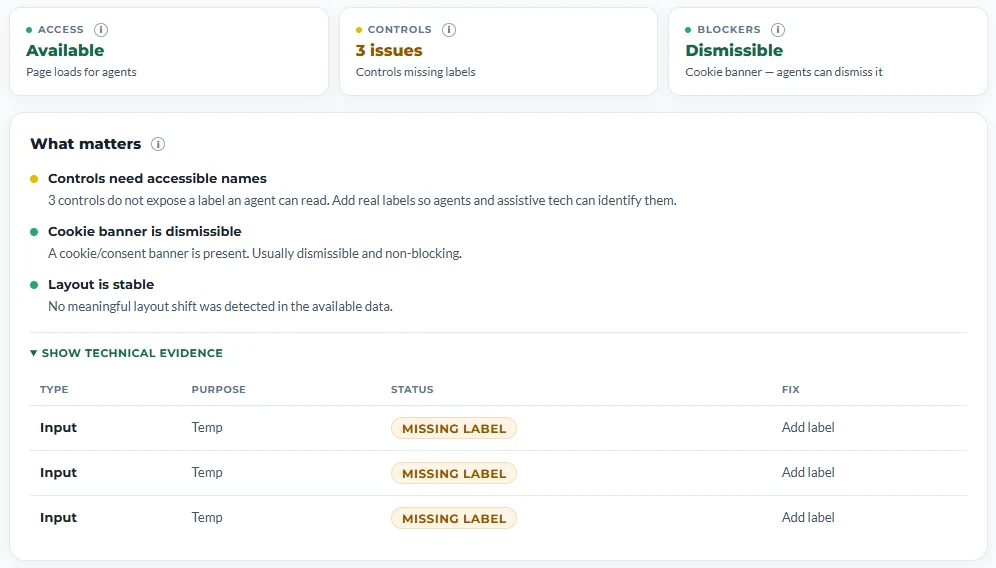
Can it perceive the controls? Whether the buttons, links, and form fields carry accessible names an agent can identify and target. A control with no name is invisible to an agent even when a person can plainly see it.
What’s in the way? Cookie and consent overlays, modals, and interstitials sitting between the agent and the task. Some are dismissible and an agent can clear them; some aren’t, and they end the run.
The verdict. A single readiness state (Ready, Needs work, Read-only, or Blocked) with a plain-language explanation of what matters most and one ranked next step.
Notice what isn’t there: a 0-100 score. Agentic Browsing returns a status and a pass-ratio, not a number to chase, and it never moves your AI Visibility Score. That mirrors how Chrome’s own Lighthouse treats agentic readiness: a diagnostic to act on, not a grade.
How Agentic Browsing Works
Behind the verdict is a live inspection, run the way an AI browser agent would experience the page: on the rendered page it drives, not the raw HTML a crawler reads.
It loads the live page in a real browser and works from the rendered DOM, so the findings reflect what an agent actually encounters. It checks access first (login walls, bot challenges, hard blocks) because if the agent can’t get in, nothing else matters yet. It inventories the controls, finding the interactive elements and resolving the accessible name for each. It detects blockers (cookie and consent overlays, modals, interstitials) and whether each one can be dismissed or genuinely stops the flow. Finally it settles the verdict into one readiness state with a ranked next step.
Because it inspects the rendered page, the findings are concrete: this control has no name, this overlay blocks the flow, this challenge gates the page. Not general advice.
Where Agentic Browsing Sits Among the Other Checks
Agentic Browsing sits on top of the access and readability checks. An agent can’t operate a page it can’t reach or read.
When access is the blocker, it hands you straight to AI Crawlability, the check that owns getting in: a bot challenge or robots.txt block that stops a crawler usually stops an agent too. It complements Content Visibility, which checks whether the words render for a bot. Related layers, different questions, and both have to hold. And it’s distinct from the chatbot-citation checks: Prompt Fit and Prompt Discovery tell you whether an AI system will cite your content, while Agentic Browsing tells you whether an agent can operate the page. Reading versus doing.
Who Should Care About Agentic Browsing
If you run an ecommerce or SaaS site, the pages where agents matter most are the ones with an action: signup, booking, checkout, demo request. If an agent can’t complete that action, the revenue quietly routes to a competitor whose flow it can operate. If you build the pages, the check names the specific controls missing accessible names and the exact overlays in the way, so the fix is concrete and shippable rather than a vague “improve accessibility” ticket. And if you’re an SEO moving into GEO, “can an agent use this page” is simply the next layer beyond “can a bot read it,” and this is how you get ahead of the shift instead of reacting to it.
What It Doesn’t Do
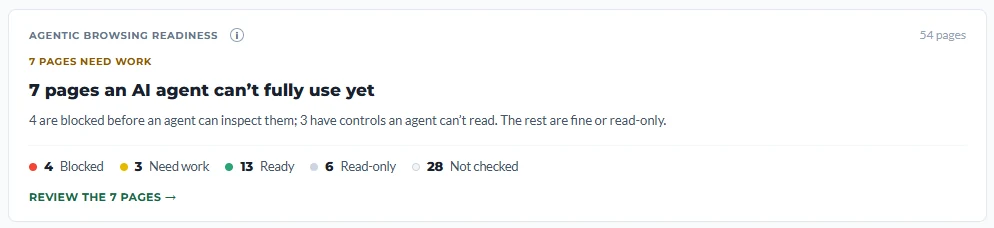
Agentic Browsing reflects the rendered page at audit time. If the page changes, a new overlay or a renamed control, re-run it. It checks whether the page is reachable, perceivable, and operable (the ingredients an agent needs), but it doesn’t yet dry-run a full multi-step task end to end; that deeper simulation is on the roadmap. And a page with no meaningful actions, an article, a policy page, correctly comes back Read-only, not “failed.” Not every page needs to be operable, and the verdict says so plainly.
A note on WebMCP, since it comes up: it’s an emerging standard that lets a site declare machine-usable “tools” for agents directly. It’s early. Adoption in 2026 is close to zero and the spec is still moving. Agentic Browsing notes whether a page declares these tools but never depends on it and never lets it change the verdict. Named, operable controls are what matter today; WebMCP is a signal to watch, not a box to check.
Run Agentic Browsing on the pages that are supposed to do something. That’s where the difference between “an AI can read this” and “an AI agent can use this” actually gets decided.