Every AI visibility tool is good at the same thing: telling you what’s wrong. Your content is invisible to bots. This page doesn’t answer the prompt. That schema is missing a required property. You get a list, and then you get the part nobody talks about: you still have to write the fix.
That’s where most of the work actually lives. Finding the gap takes seconds. Writing the section that closes it, in a voice that matches the page, without inventing facts you never gave it, is the slow part. So the report sits open in one tab, a blank document sits in another, and the fix that was one sentence away in the audit takes an afternoon to land.
Optimizations closes that gap. The audit doesn’t stop at the diagnosis. It writes the fix.
![A generated Content Coverage fix in BeSeenByAI — a drafted answer with several [CONFIRM] placeholders marking facts the page didn’t supply, alongside a Copy draft button and the questions the draft is grounded in](/blog/media/content-optimization-how-to-fix-whats-wrong/content-optimization-how-to-fix-whats-wrong-hero.webp)
From “here’s what’s wrong” to “here’s the fix”
For the issues that come down to content and structure, every finding in your report can become a drafted fix. Not a suggestion, not a checklist item. The actual text: a rewritten section, an FAQ answer, a schema block. You read it, confirm anything the page didn’t already state, paste it in, and re-audit.
The point isn’t to write your content for you. It’s to remove the step between knowing what’s wrong and having something to ship. The audit already did the analysis; it already knows the gap and what would close it. Handing you a blank page at that moment is where every other tool stops. This is where BeSeenByAI keeps going.
The loop: audit, fix, re-audit
The fix isn’t a separate product bolted onto the audit. It’s the next step in the same loop.
Audit. Run a page. The report checks each dimension — crawlability, content visibility, authority, and the content-side checks (Content Coverage, Prompt Fit, Prompt Discovery) — then collects everything it found into one ordered list on the Action Plan.
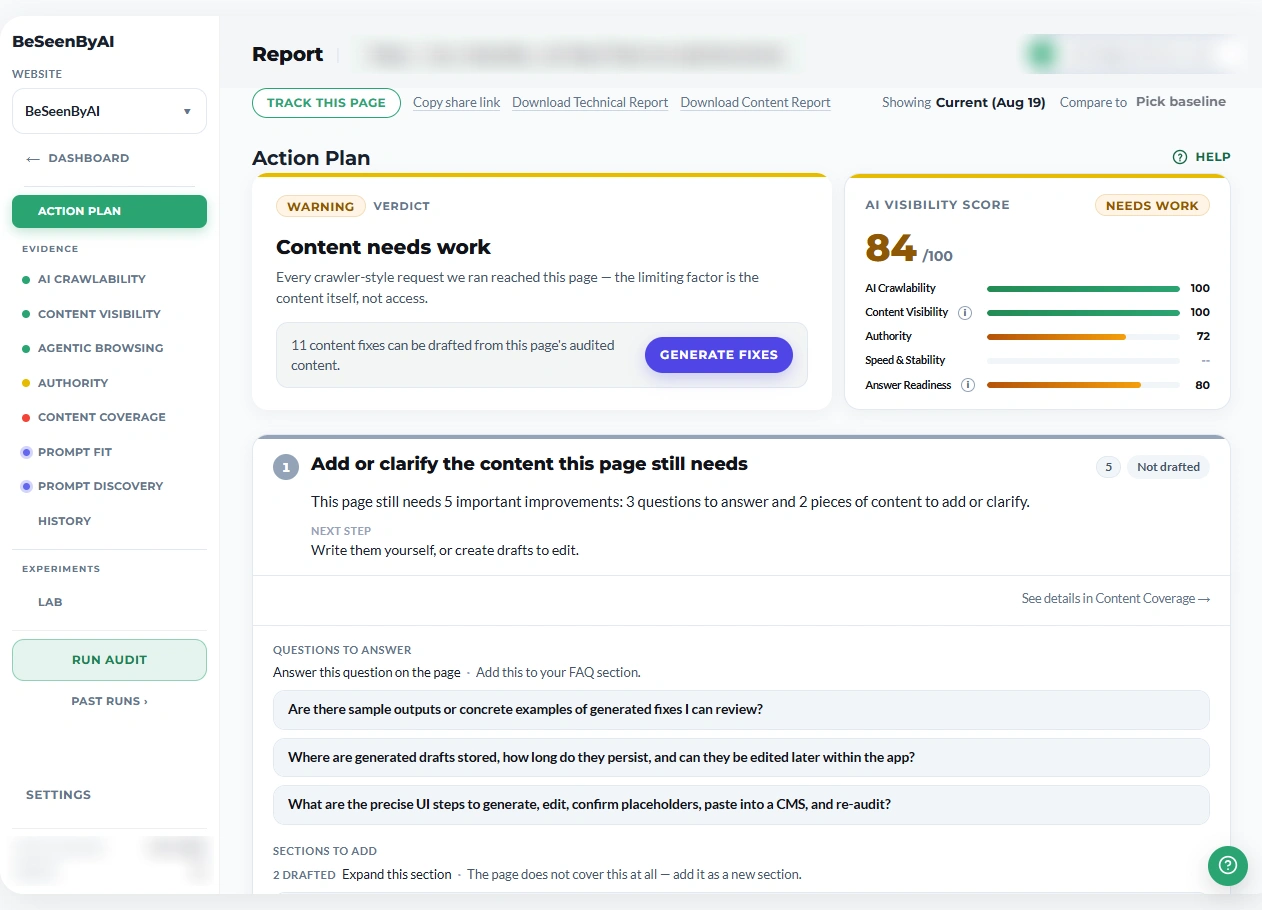 The Action Plan is where the loop starts: it counts what can be drafted and carries the button that starts it.
Fix. The Action Plan item tells you how many fixes can be drafted from the page and gives you the button that starts them. The drafts open in the Content Coverage tab, each one written against a specific finding — the missing answer, the thin section, the absent schema — not generic advice.
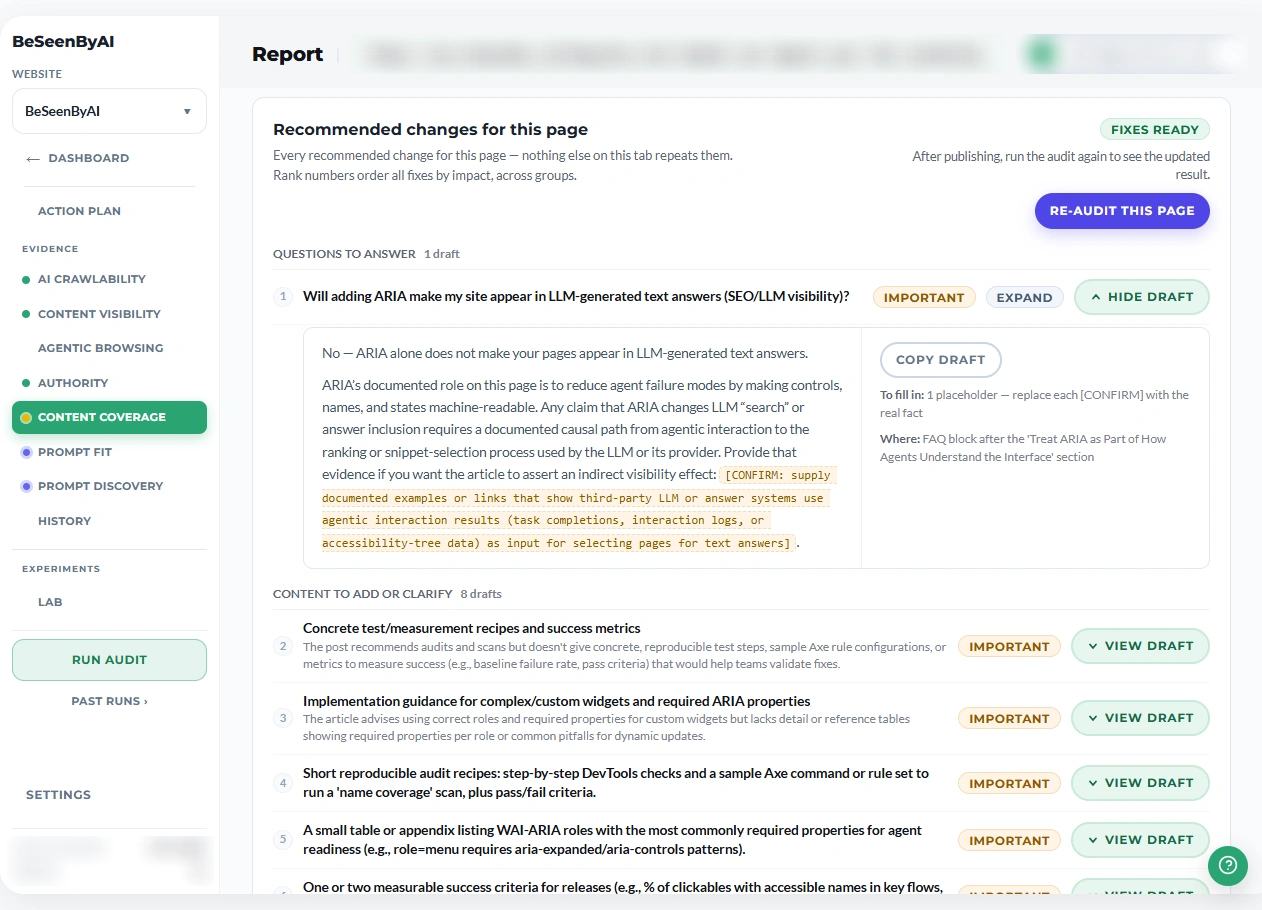 Each draft opens next to the gap it closes, with anything the page never stated marked rather than invented.
Re-audit. Paste the draft in and run the page again. The finding that was open should close, and the numbers move. That’s the whole loop, and now the middle step is done for you instead of by you.
Because the fix is generated from the same read of the page the audit already did, it’s concrete. It names the thing to add and gives you the words to add it. A content person can ship it directly.
What “the fix” looks like on each check
The fix takes a different shape depending on which finding it’s closing.
Content Coverage. Content Coverage tells you which questions and concepts a page skips on its topic. The fix drafts the missing answer: a section or paragraph that resolves the specific question the page left open, written to sit inside the existing content.
Prompt Fit. Prompt Fit grades how cleanly a page answers a target prompt and names what’s weak: a split answer, a missing detail, evidence scattered across sections. The fix drafts the consolidated, focused version: one clean block that answers the prompt at the length AI systems can actually cite.
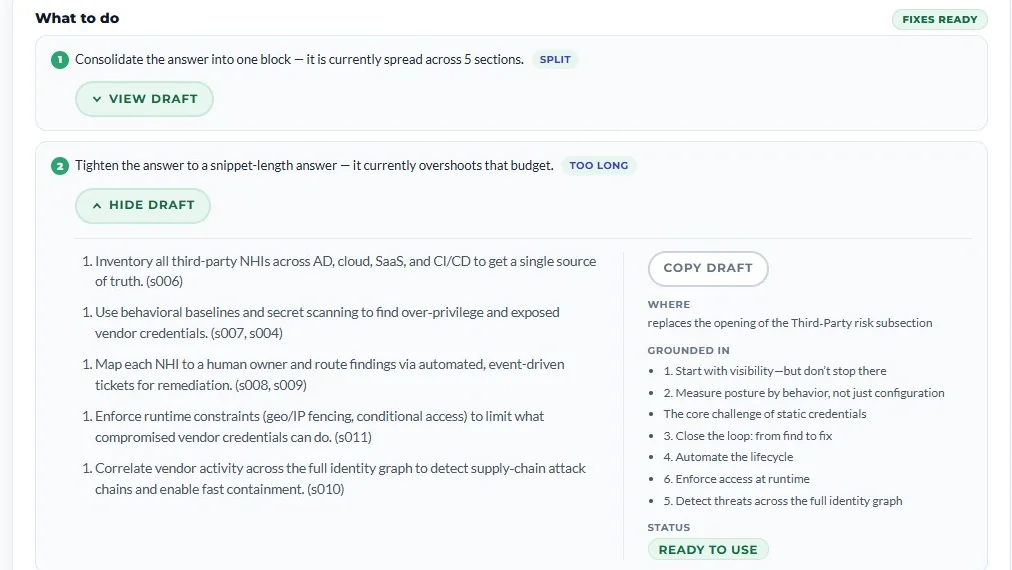
Prompt Discovery. Prompt Discovery surfaces the prompts a page is close to winning and the recommended action for each. The fix drafts the section that action names, so a “close to winning” card has the content it needs to move up a tier.
Authority. Authority checks the structural signals (schema, page type, metadata) that let AI systems classify and trust a page. Where the fix is a block of markup, like a missing schema property or an absent JSON-LD declaration, it drafts the valid block, so you paste it in instead of hand-writing schema.
![An Authority fix — a drafted JSON-LD schema block with [CONFIRM] placeholders for the values the audit couldn’t read, generated deterministically from the audit’s evidence](/blog/media/content-optimization-how-to-fix-whats-wrong/content-optimization-how-to-fix-whats-wrong-03.webp)
Four different checks, one consistent move: the problem, and then the thing that fixes it.
Grounded in your page, not invented
One rule governs every draft: it’s built from what your page already says. The fix doesn’t reach for outside facts or make up specifics to fill a gap.
That creates an obvious question: what about a fact the page genuinely never stated? A starting price, a launch date, a spec. Rather than invent it, the draft leaves a clearly marked placeholder: [CONFIRM: starting price]. You fill it with the real value before you publish. So every draft is either grounded in content you already have, or flagged for you to confirm. Never a fact the tool made up. Review, confirm the placeholders, ship.
One export for the whole set
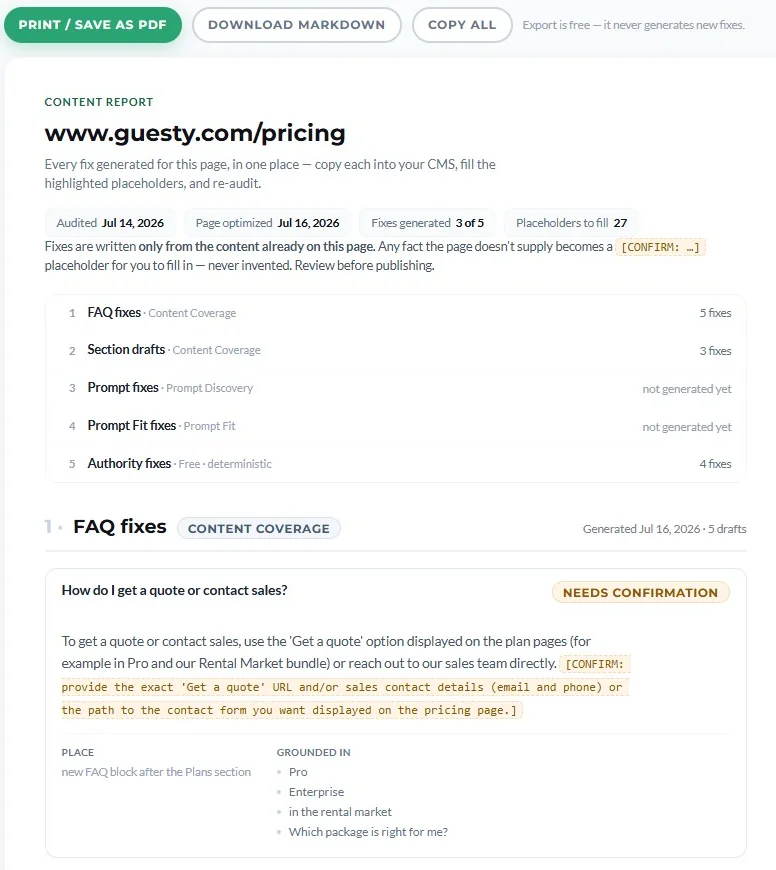
When you’ve generated fixes across a report, the Content Report collects them into a single export: every drafted fix in one document you can hand to a writer, a client, or a developer. Instead of copying drafts out one at a time, you send the whole set of changes at once. (Bulk export is a Pro and Agency feature; on Plus you generate and copy each draft individually.)
What it doesn’t do
It doesn’t publish anything for you. Every draft is a starting point you review and paste in. You stay in control of what ships. It won’t invent facts to make a page look complete; that’s the reason for the confirm-before-publish step. And it works on the findings that are about content and structure. A slow server or a bot blocked at your firewall is a fix in your infrastructure, and the report tells you that plainly, but those aren’t drafts a writing tool can hand you.
The rest, the sections, answers, and schema that decide whether AI can actually use your page, no longer start from a blank document. You find the problem in the audit. We write the fix.