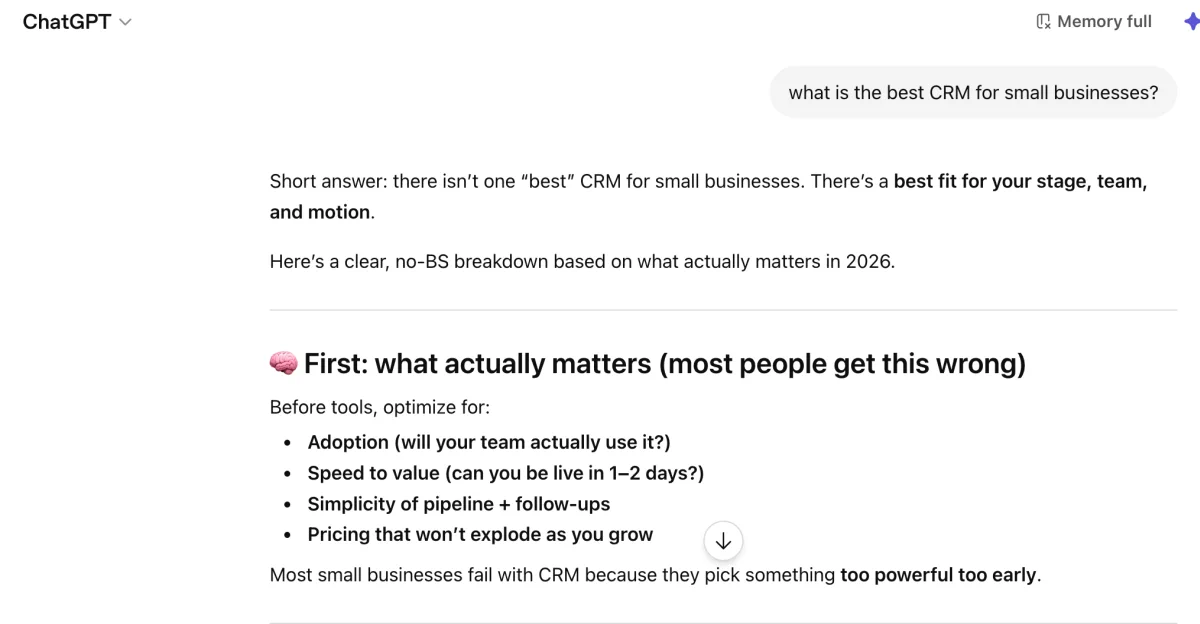
Most GEO tools are built around prompt tracking. You feed in a prompt like “what is the best CRM for small businesses?”, it runs it across ChatGPT, Claude, and Perplexity, and you see whether your brand shows up. If it does, great. If not, you tweak something and try again.
It’s a reasonable starting point. But it has a structural problem that gets worse the more you rely on it.
The Problem With Prompt Tracking
There are three limitations with prompt tracking.
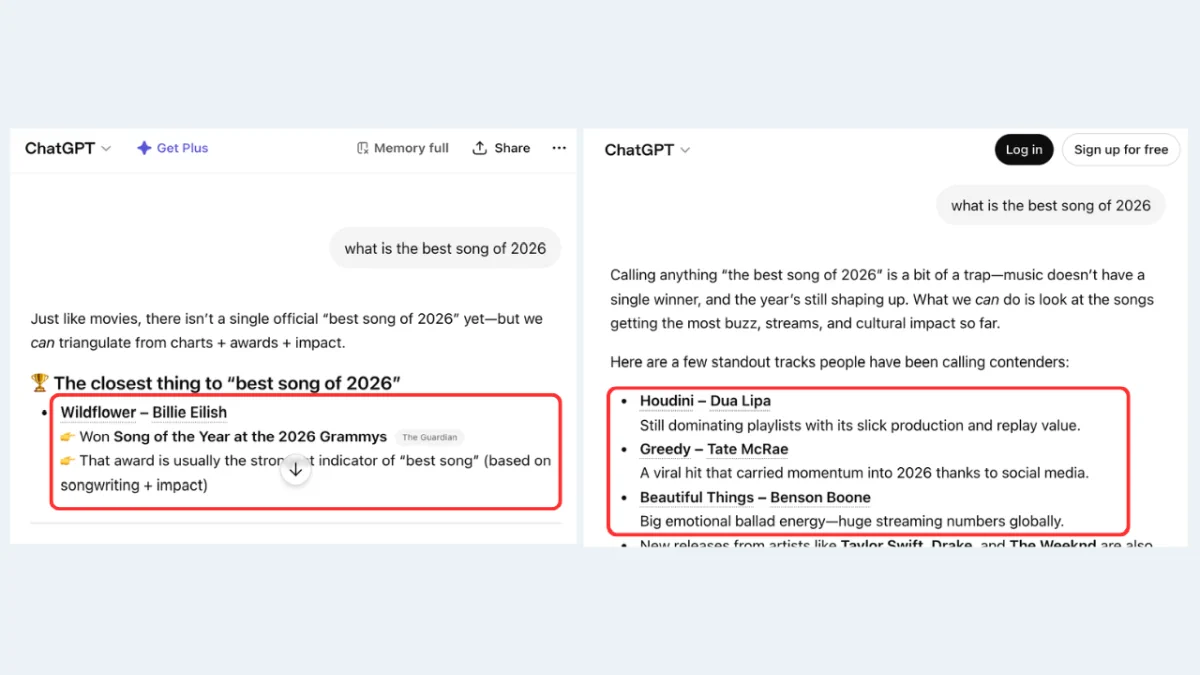
You can’t fully trust the measurement. LLM output is probabilistic. The same prompt returns different answers across sessions, users, and geographies. You can run “best CRM for small businesses” five times in one afternoon and get five different lists. Track it across a week and the variance gets wider. So when it looks like you rank for a prompt today, you might not tomorrow, and that has nothing to do with anything you changed on your end. You’re trying to optimize against a moving target that moves on its own.
You only see a fraction of the prompts that matter. Prompt tracking is only as useful as the prompts you thought to test. There’s a vast space of queries people are actually asking AI systems every day, and you’re monitoring a handful of them. The prompts you didn’t think of are invisible to you. The prompts your competitors are winning are invisible to you. And the deeper question, whether your page is even structurally capable of being cited for the prompts you do care about, doesn’t get answered at all.
Some of these tools have started attaching “search volumes” to the prompts they track, which sounds reassuring until you remember that no one publishes prompt volume data. There is no AI equivalent of Google Search Console for prompts. These numbers are estimates built on top of estimates, often extrapolated from traditional search data that doesn’t map cleanly to how people actually query AI.
Even when there is a gap, it can’t tell you what to do about it. This is the part that makes prompt tracking inefficient as a feedback loop. You see that you don’t appear for a prompt you care about, but the tool can’t tell you why. Is it a crawlability issue? A content gap? A structural problem with how the page is organized? A schema problem? You’re left guessing, making changes, re-running the prompt, and hoping the variance breaks in your favor. That’s not optimization. That’s coin flipping with extra steps.
In short: prompt tracking gives you high actionability on a narrow slice (you know exactly where you rank for the prompts you tested) but low confidence overall (the rankings shift) and zero visibility into everything you didn’t test.
What Reverse Prompting Does Differently
Reverse Prompting flips the direction.
Instead of starting from a prompt and asking “do I appear?”, it starts from your page and asks “what prompts is this content actually positioned to answer?” We analyze the page the way an LLM would read it: headings, body text, tables, schema, structural signals, evidence patterns. Then we infer the queries the page is structurally a good fit for, and score the strength of that fit based on what’s actually on the page.
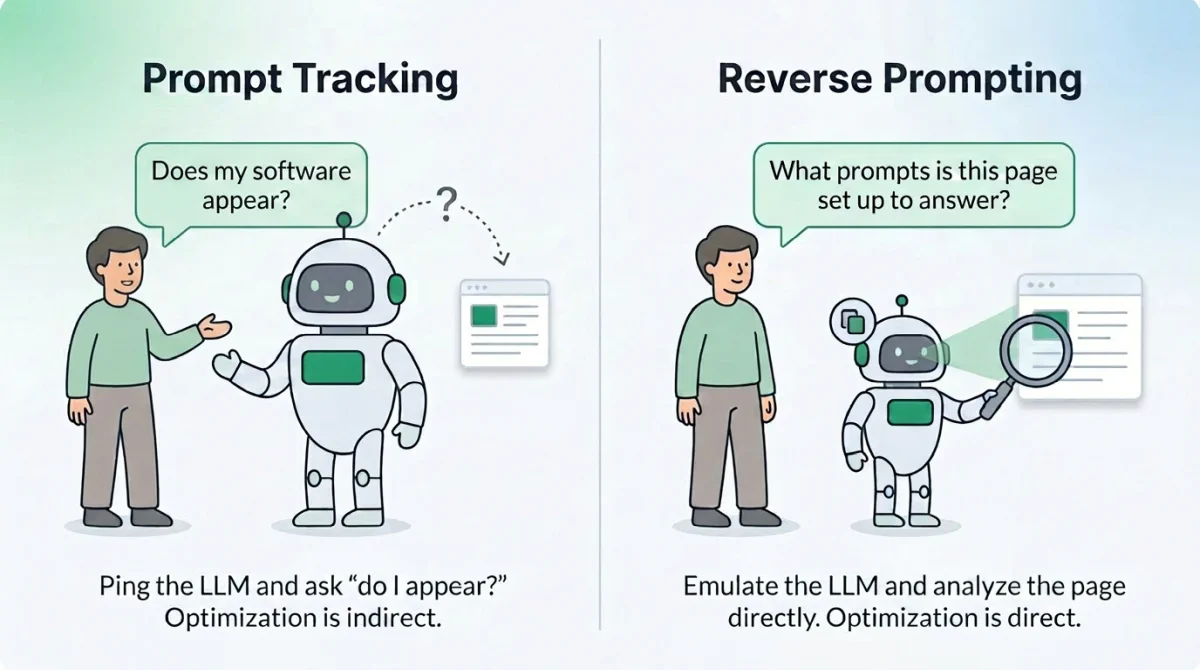
Prompt Tracking is indirect optimization. Reverse Prompting is direct. We’re not asking ChatGPT whether you show up and hoping the answer is stable. We’re reading your page and telling you what queries it’s built to answer, what queries it’s almost built to answer, and what queries it’s nowhere near answering despite what you might have intended.
That distinction matters because it changes what you can act on. With Prompt Tracking, the only lever you have is “edit and re-test.” With Reverse Prompting, you can see the gap between what your page is signaling and what you wanted it to signal, before you ever run a tracking query.
How to Use It
Reverse Prompting works best on content-rich pages: articles, guides, product pages, how-tos, FAQs. It produces weak results for thin pages, login flows, cart pages, and anything navigation-heavy, because there isn’t enough content for an LLM to extract meaningful query fit from. Start with pages you actually care about ranking for AI citations. The pages where if a user asked an LLM the right question, you’d want yours to be the answer it cites.
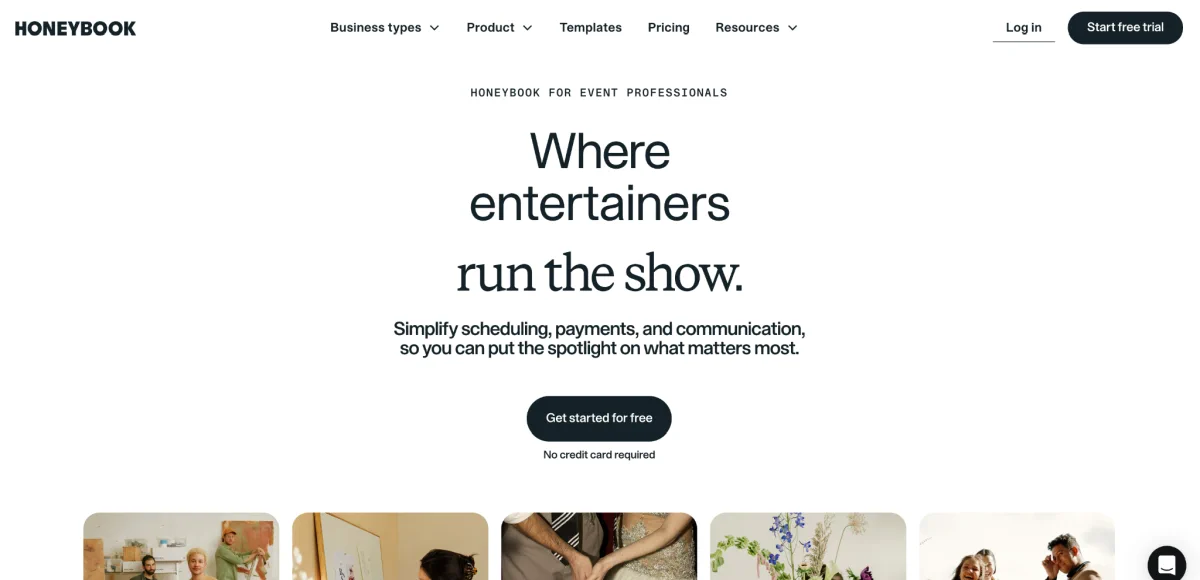
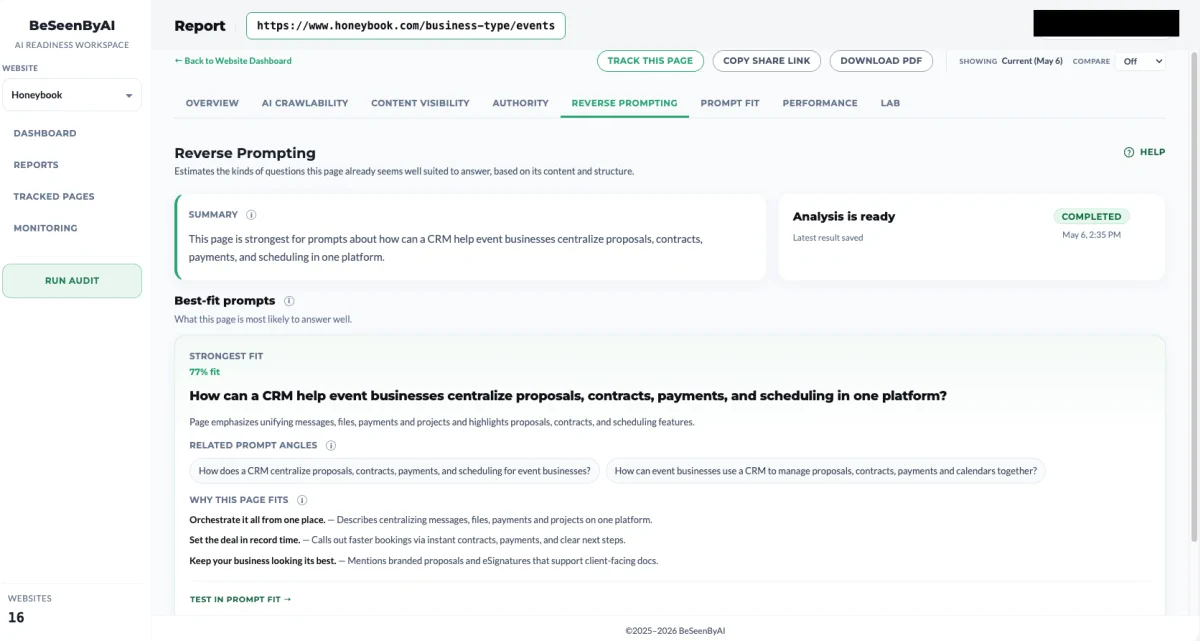
For this example, I’ll be scanning HoneyBook’s use case landing page that targets event businesses:
Step 1: Run the Scan
The high-confidence matches tell you what your page is structurally positioned to answer. Compare this against what you thought the page was about. If they match, you’ve validated your content strategy. If they don’t, your page is competing for queries you weren’t targeting, which is information either way. Sometimes the page is winning a category you hadn’t realized it was in. Sometimes it’s drifted away from the category you built it for.
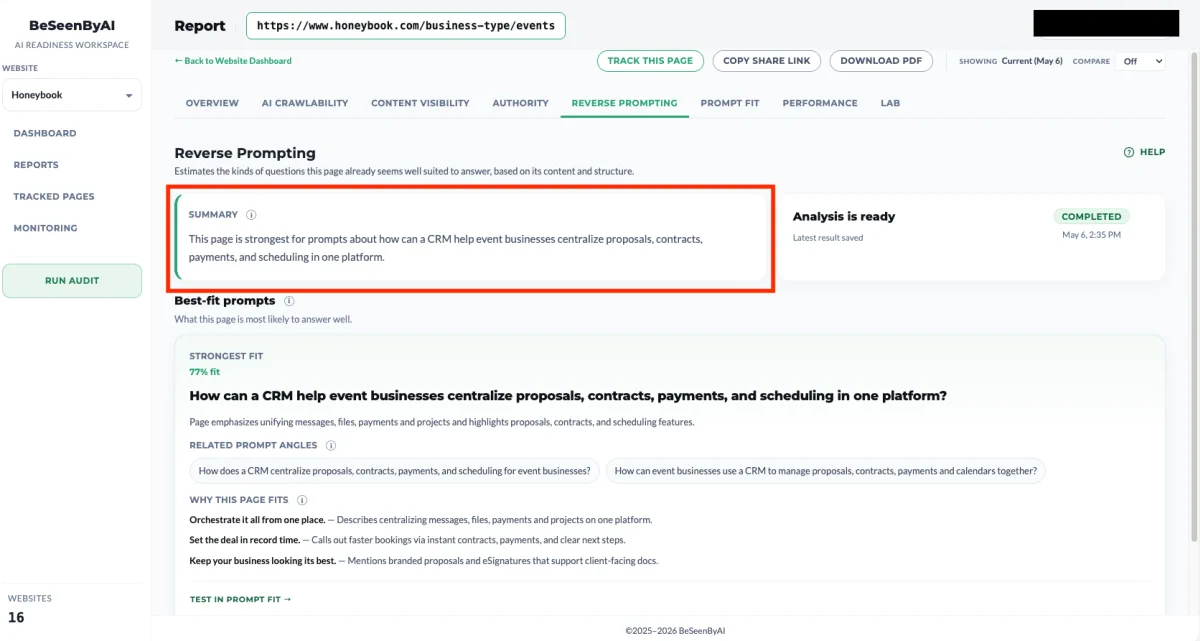
Step 2: Go over the summary
BeSeenByAI gives you a summary of the prompts for this page. This is the fastest way to get a general feel for how an LLM reads your page, before you go deep on individual matches.
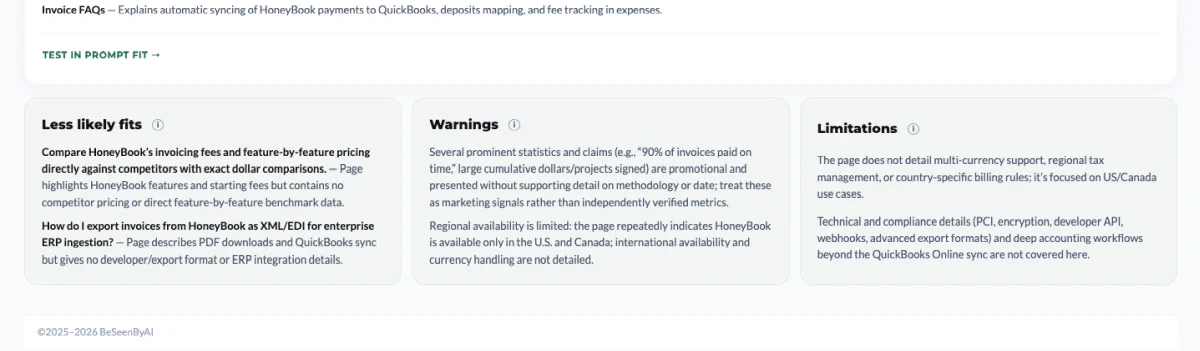
Step 3: Check the “less likely fit” list first
The Less Likely Fit list shows queries that look adjacent but aren’t actually supported by what’s on the page. Two patterns to look for here:
The first is queries you thought you were targeting but the page isn’t actually supporting. That’s a content gap, and it tells you exactly where to strengthen the page: add the missing evidence, the missing comparison, the missing structural element that would move the query from “less likely fit” to “high-confidence match.”
The second is content sections on your page that don’t map to any plausible query, likely or unlikely. That content is doing nothing for your AI visibility. Either strengthen it until it does match a query, or cut it and move it to a dedicated page where it can stand on its own.
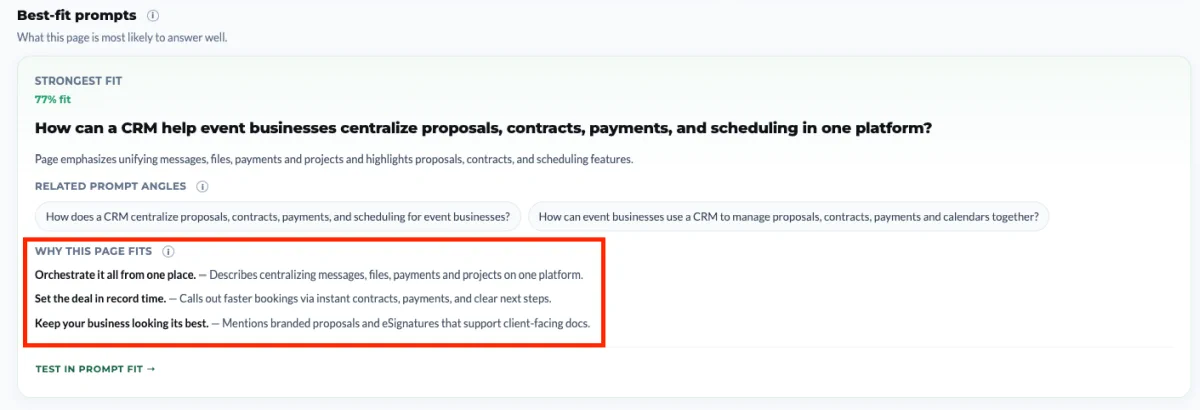
Step 4: Read the supporting evidence
For each best-fit prompt, we surface the specific content sections, schema fields, table rows, and structural elements that support the match. The confidence score is directional. The evidence is what makes the finding actionable.
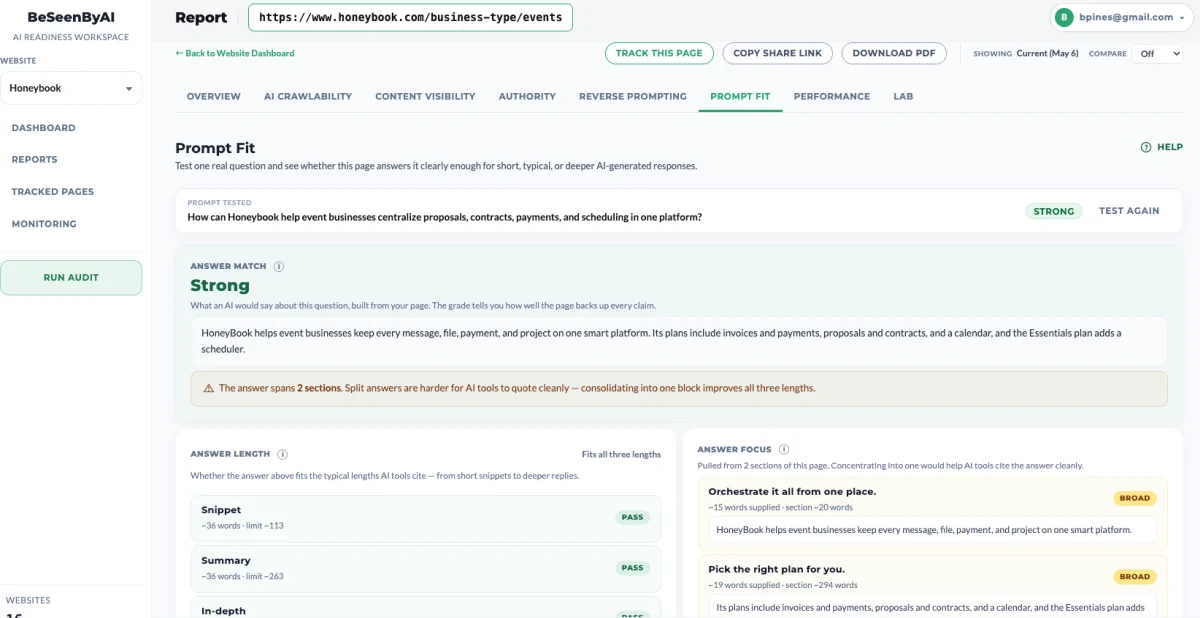
Step 5: Run the Prompt Fit check
Once you recognize a prompt you are actually trying to target, click on “Test in Prompt Fit” to continue to the Prompt Fit scan.
You can read more about Prompt Fit here, but in short: it scans the page against that specific prompt and returns optimization actions to improve the likelihood of LLMs citing the page for it. Reverse Prompting tells you what queries you’re positioned for. Prompt Fit tells you how to close the gap on a specific one.
Use cases
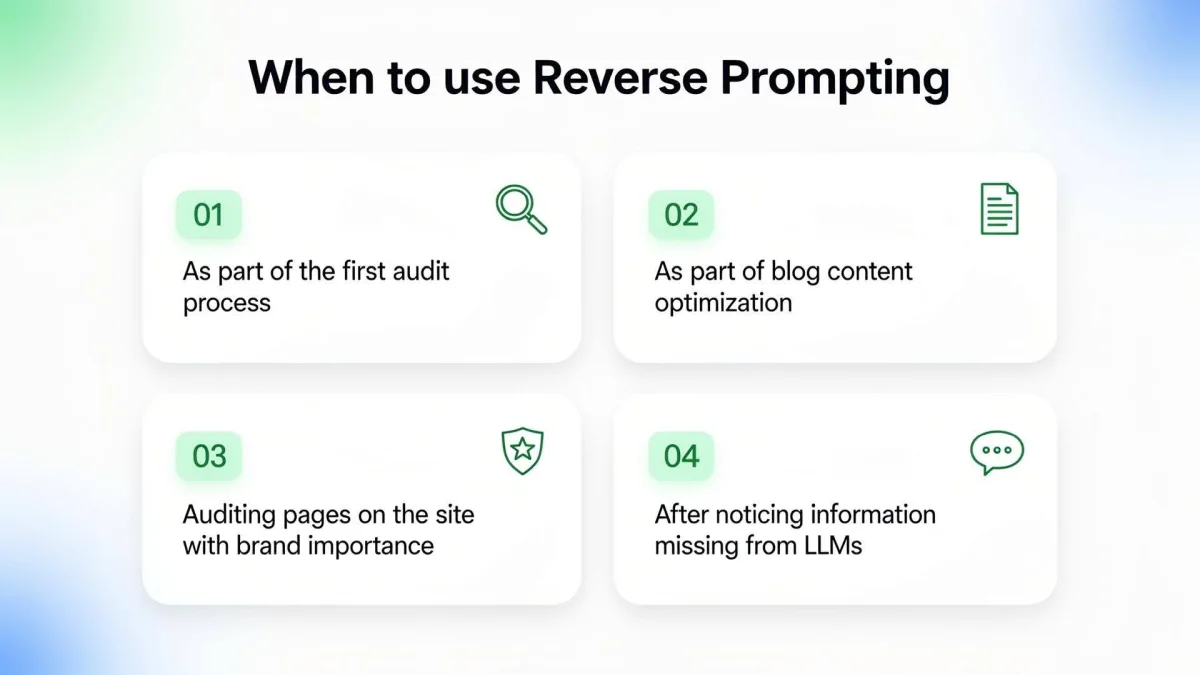
When should you use reverse prompting?
#1: As part of the first audit process
When you’re auditing a site for the first time, you don’t yet know what each page is signaling to LLMs. You have intentions (this page is about pricing, that page is about onboarding, this guide is about choosing a CRM), but intentions aren’t what get cited. Run Reverse Prompting on your most important pages early in the audit so you can see the gap between what you meant the page to be about and what it’s actually positioned to answer. That gap is usually where the audit work begins.
For SEO agencies, using Reverse Prompting on first time clients can give them relevant information about the status of their client’s website with hardly any manual work.
#2: As part of blog content optimization
Reverse Prompting tells you what an LLM thinks the post is really about, which is rarely a perfect match for your title and meta description. Use it to tighten posts before they go live, and to triage older posts that aren’t getting cited despite ranking fine on Google.
#3: Auditing pages on the site with brand importance
Some pages carry more weight than others. Your homepage, your category pages, your flagship product pages, your founder story. If an LLM is going to cite anything from your site in a brand-related query, it’ll most likely be one of these. Run Reverse Prompting on them to confirm they’re positioned to answer the queries you’d actually want to win: “what does [company] do,” “is [product] good for [use case],” “[company] vs [competitor].” High-stakes pages deserve a direct check, not a prompt-tracking guess.
A special note should be said of pricing pages and any page on your site that includes pricing information about your service or product. This is information that you want to make sure is seen properly by AI, since it can inform buyers about your offer.
#4: After discovering some of the information on your site is missing from LLMs
If you’ve noticed that LLMs are answering questions about your category but not citing you, or worse, citing you incorrectly, the instinct is usually to add more content. Reverse Prompting gives you a better starting point. Run it on the pages that should have surfaced and look at what queries they’re actually positioned for. Often the information is technically on the page but structured in a way that no LLM would extract it cleanly. Fix the structural fit on the pages you already have before you start writing new ones.
Start using Reverse Prompting
Reverse prompting tells you whether your page is structurally capable of being cited at all, and for what. It’s a root-cause view. It doesn’t replace prompt tracking, but if you’re only doing prompt tracking, you’re optimizing in the dark for everything you didn’t think to test.