In classic SEO, Cumulative Layout Shift (CLS) is treated as a UX metric: the page “jumps,” users misclick, conversions suffer. In AI-driven search, the same instability can show up as an extraction problem: text gets split, mixed with boilerplate, or captured in the wrong order.
That matters because many AI answer systems do not “use your URL.” They use a small number of extracted passages from your page. If those passages are messy, you can be excluded from the set of sources the model is willing to ground on.
The “Broken Window” Theory of AI Extraction
Google’s Core Web Vitals guidance sets the familiar CLS thresholds: ≤0.1 is “good,” >0.25 is “poor,” and the range between those needs improvement.
For humans, CLS is pixels moving around. For crawlers and extractors, CLS often means structure moving: paragraphs get separated by late-loading elements, and unrelated blocks get injected mid-stream. Prerender’s analysis of Core Web Vitals and LLM visibility notes that unstable DOM shifts can lead to incomplete or scrambled text being captured.
This creates a “broken window” effect: one unstable component can ruin the clarity of an otherwise strong page because it breaks semantic continuity in the passages that are extracted. In generative search, inclusion in the grounded sources is the goal, and technical reliability can act as a qualifier for that inclusion.
High CLS is not only a UX issue. It can behave like data corruption for AI pipelines that parse, chunk, and retrieve content, because it breaks continuity and pollutes the chunks the model is allowed to read.
Tools like BeSeenByAI focus on this eligibility layer, not “how often you get mentioned,” but whether your content is structurally extractable by bots in the first place. TTFB is the other half of this eligibility gate, and Content Visibility covers the rendering gap CLS compounds.
How AI Systems Chunk Your Page
Most AI answers that cite sources follow a pipeline with three steps:
- Fetch the page (HTML and sometimes rendered DOM).
- Parse and extract text into a clean representation.
- Split that text into chunks (passages) so the system can retrieve only the most relevant parts later.
That last step is why stability matters. RAG-style systems rarely feed an entire page to a model. They store and retrieve chunks, and chunk quality depends on clean extraction.
Research on visually rich documents makes the point clearly: ignoring layout leads to incomplete understanding, and layout is critical for extraction quality. A layout-aware information extraction paper (ACM Multimedia) states that treating visually rich documents as plain text results in incomplete modality, and empirical results show layout is critical.
Web pages increasingly resemble visually rich documents for extractors: injected blocks, sticky UI, multi-part components, mixed content, and dynamic behavior. If those elements shift during load, the “reading order” becomes unstable.
Prerender connects this directly to LLM-oriented extraction: unstable DOM shifts can lead to incomplete or scrambled text capture, which then affects what content is available to ground an answer.
The same pattern shows up in Onyx’s analysis of how AI handles incomplete or noisy data: once noisy or incomplete text gets into the pipeline, later retrieval steps usually make the problem worse.
Finally, document parsing in modern RAG is a first-class concern: parsing is about preserving structure, not just grabbing text, because downstream retrieval depends on it.
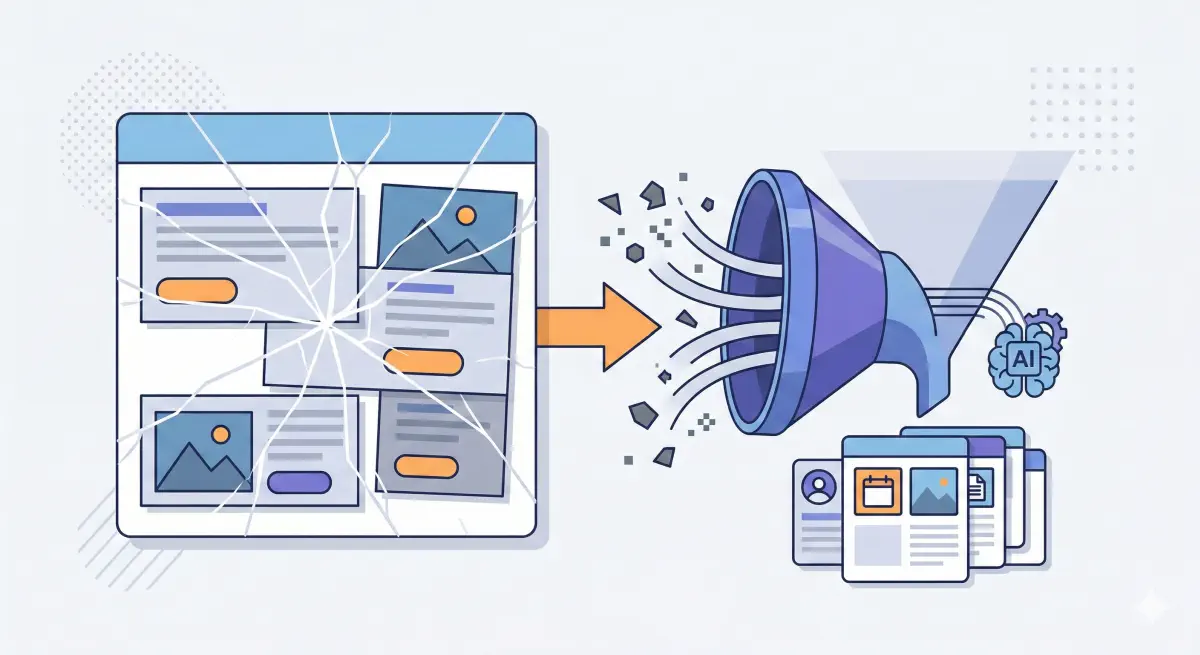
RAG systems store and retrieve chunks, not full pages. Unstable structure creates noisy chunks that reduce retrieval precision.
What CLS Is Really Telling You
CLS measures how much a page “jumps around” as it loads. Google’s guidance is straightforward: CLS ≤0.1 is good; above 0.25 is poor.
For AI extraction, the risk is that the page structure is unstable. Text that belongs together can get separated, and unrelated blocks can end up mixed into the same extracted passage. Prerender describes unstable DOM shifts as a cause of incomplete or scrambled capture in LLM extraction contexts.
Common CLS causes and their impact on extraction: (web.dev’s CLS optimization guide) (Coralogix’s CLS checklist)
Media That Loads After the Fact
What happens: Space is not reserved, so media appears late and pushes text down.
AI impact: Explanations can get split in half. Chunking systems may store incomplete passages.
Fix: Reserve space up front (width/height or CSS aspect ratio).
Late-Loading Third-Party Blocks
What happens: Blocks insert themselves between your heading and your content.
AI impact: Extracted text can mix your content with widget boilerplate, creating noisy passages that are harder to retrieve and cite cleanly.
Fix: Reserve fixed slots and avoid injecting new blocks above primary content after render.
Popups and Injected UI
What happens: A banner is injected at the top and shifts everything down.
AI impact: Inconsistent reading order. Different fetch timing can yield different extracted text for the same URL.
Fix: Reserve a slot from the start or use overlays that do not push content.
Fonts Swapping Mid-Load
What happens: Fallback font renders, then swaps to a different-metrics font.
AI impact: Smaller shifts add up, and often correlate with pages doing too much late work on the client side.
Fix: font-display: swap, preload key fonts, and use metric-compatible fallbacks.
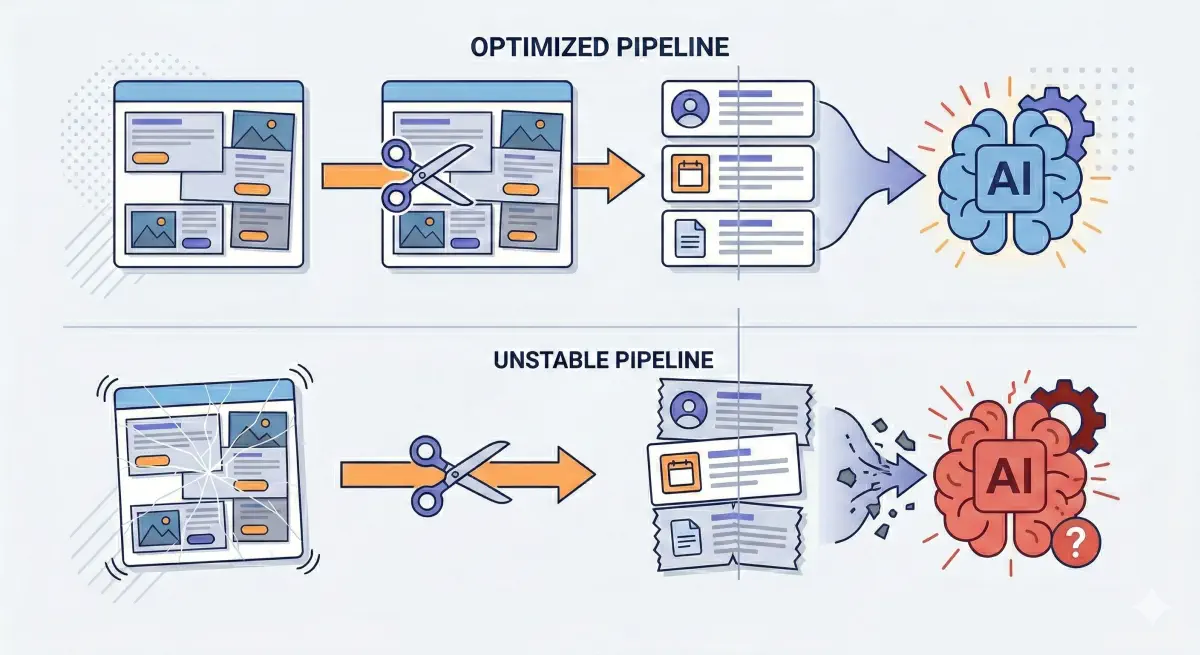
Each CLS cause has a corresponding extraction impact that goes beyond the visual shift a human notices.
How CLS Turns Into Noisy Chunks in RAG
RAG systems use extracted passages, not full pages. If parsing output is messy, chunking locks that mess into the retrieval index.
Layout-aware extraction research supports the core principle: layout carries meaning and improves extraction from complex content.
CLS increases the chances of three “chunk killers.”
Broken Continuity
Late-loading elements can land mid-explanation, splitting an idea across multiple passages. Prerender notes that unstable DOM shifts can produce incomplete capture, which maps directly to split passages.
Mixed Topics
Injected widgets can mix your article text with boilerplate and navigation fragments, producing a chunk that matches many queries vaguely and is hard to quote cleanly. Noisy input compounding downstream is a known pattern in AI pipelines.
Inconsistency Across Fetches
If timing determines what gets inserted and when, the same URL can produce different extracted text across fetches. That makes the content harder to “pin down” for retrieval systems.
Research on web-scale semantic extraction (Scientific Reports, 2025) calls out the difficulty of extracting contextually relevant information from diverse layouts and dynamic sources, and proposes methods to improve robustness.
A simple example: a human sees heading → definition → causes. Extraction under CLS can become heading → half definition → banner text → widget labels → rest of definition. That is how a page becomes “eligible but unattractive”: fetchable, but messy as evidence.

Layout instability creates noisy chunks that reduce retrieval precision and citation likelihood.
How to Diagnose CLS Risk for AI Extraction
CLS is measurable, and the root causes repeat across templates. The goal is to find the pages where instability is most likely to corrupt extraction and create noisy passages.
Start With the Thresholds
Google’s baseline: CLS ≤0.1 is good; 0.1–0.25 needs improvement; >0.25 is poor. Measure at p75 and split by mobile/desktop.
A practical rule: if a key template is “poor” on mobile at p75, treat it as an extraction reliability risk, not only a UX issue.
Sanity-Check the Extraction Angle
Prerender describes the failure mode directly: unstable DOM shifts can create incomplete or scrambled capture.
Quick check on a key URL:
- Open the page normally.
- Open
view-source:for the same URL. - Ask: “Is the main content present, and in the right order?”
If the source is mostly placeholders and scripts, you may have incomplete extraction and layout instability at the same time. BeSeenByAI’s content visibility checks are designed to catch this at scale.
Identify What Is Moving
Coralogix provides a practical CLS checklist covering the usual culprits: images, ads/embeds, injected UI, and fonts.
Capture for each problem page:
- Which element shifted.
- When it shifted (during load or after interaction).
- What triggered it (late asset, third-party script, banner, experiment).

Diagnose CLS at the template level, not per URL. Most issues repeat across all pages using the same layout.
Fixes That Move the Needle
High CLS usually comes from repeatable patterns. These fixes reduce layout movement and reduce passage noise. (web.dev’s CLS optimization guide)
Reserve Space for Anything That Loads Late
Give images, videos, iframes, and ad containers predictable dimensions before they load. (web.dev’s CLS optimization guide)
AI impact: Prevents paragraphs and “heading + explanation” blocks being split by late inserts. (Prerender)
What to ask dev:
- Add explicit width/height or CSS aspect ratio for above-the-fold media.
- Give each embed/iframe a fixed slot or placeholder.
- Reserve ad slot size in CSS; no collapsing containers.
Stop Injecting New Blocks Above Main Content
Avoid push-down UI that appears after render.
AI impact: Stabilizes reading order and reduces inconsistency across fetches. (Prerender)
What to ask dev:
- If a banner is required, reserve space in the initial layout.
- Prefer overlays that do not reflow the page.
- Reduce above-the-fold experiment injections that insert new DOM nodes mid-load.
Treat Third-Party Scripts as Suspects
Reduce late DOM mutations from ad stacks, tag managers, chat widgets, and recommendation modules.
AI impact: Fewer injections means fewer mixed-topic passages and less scrambled capture risk. (Prerender)
What to ask dev:
- List third-party scripts that insert elements above the fold.
- Move non-essential widgets below the main reading flow.
- Delay non-critical tags until after the main content is stable.
Fix Font-Related Shifts
Reduce font swapping that changes metrics after first render.
Fix: font-display: swap, preload key fonts, and use metric-compatible fallbacks. (web.dev)
Prioritize by Template, Not by URL Count
Most CLS issues are template-level: the same hero module, the same cookie banner logic, the same ad slots. Start with templates that matter for inclusion: key articles and high-intent landing pages.
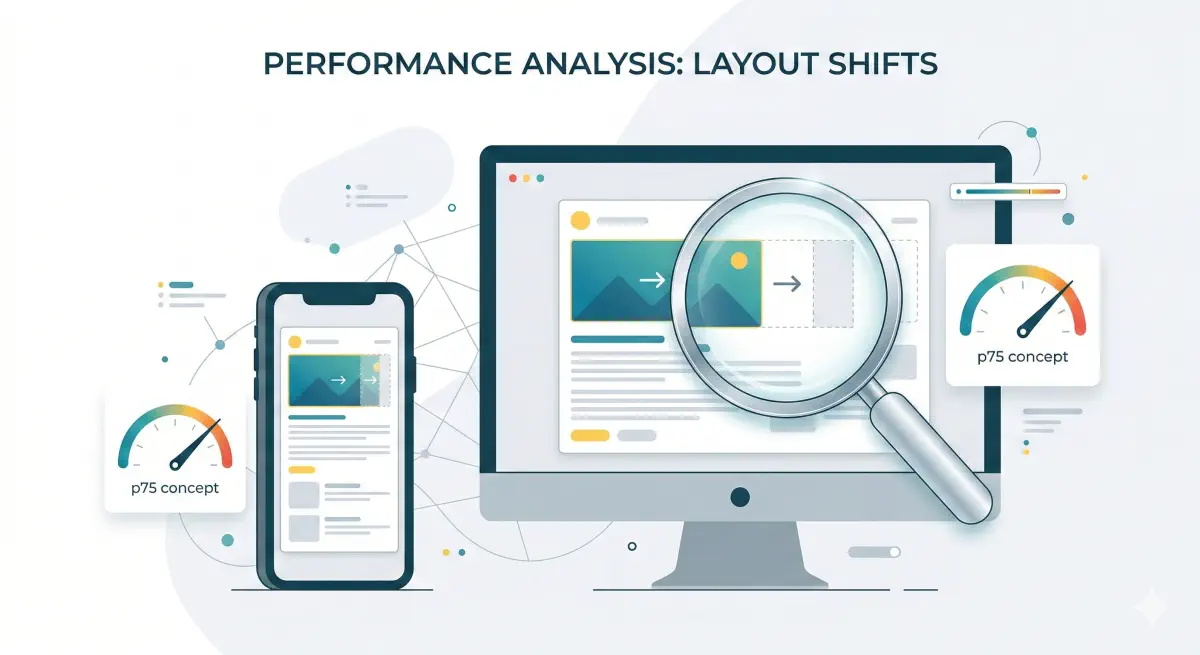
Fix by template type first. The same change often resolves CLS across hundreds of pages at once.
CLS Is Not Just UX. It’s Extraction Reliability
CLS is usually filed under “page experience,” and the standard targets are clear: aim for 0.1 or less, with p75 as the benchmark for whether most sessions see a stable page. (Google’s CLS documentation)
For AI-driven search, the risk is that late-arriving elements change the structure and reading order. In RAG pipelines, that becomes messy extracted passages and noisy chunks. Prerender calls out DOM instability as a source of incomplete or scrambled capture in LLM extraction contexts.
This matches a broader pipeline pattern: noisy inputs upstream compound downstream.
The right sequence:
- Make sure the page is stable and easy to extract first: stable layout, readable initial HTML, and minimal late DOM mutation.
- Then invest in content improvements, schema, and prompt iteration.
BeSeenByAI is designed to surface this layer so you can find and fix the technical blockers that affect whether the page gets included.
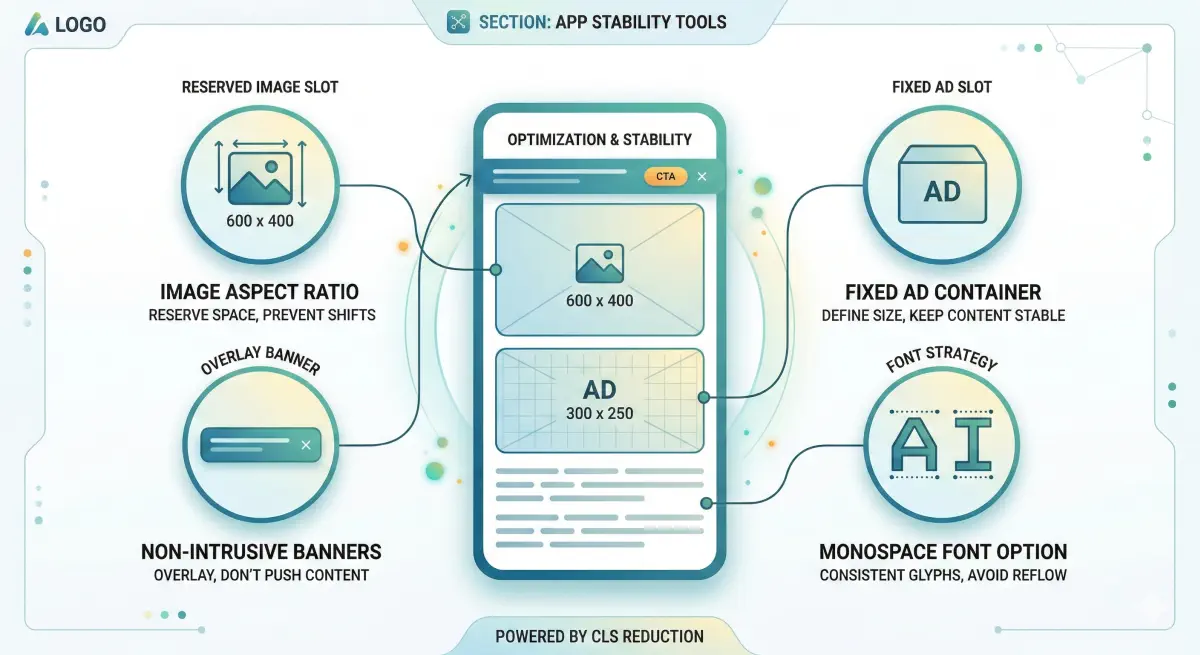
Structural extraction reliability comes before content strategy in the fix order.

A CLS score above 0.25 is not just a UX problem. It’s an extraction reliability risk worth treating as a priority fix.